24
Exportsinglefile:
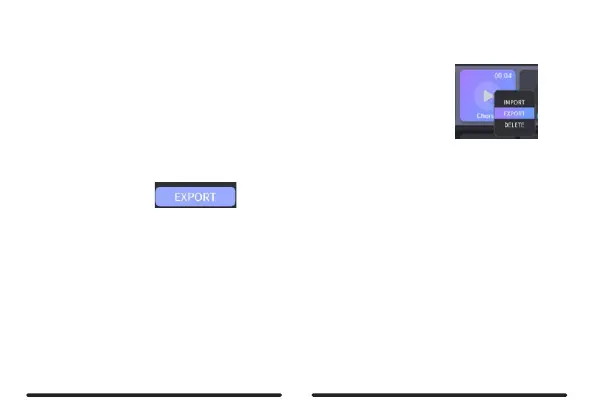
Method1:Right-clickontheslotyouwishtoexportandselectEXPORT.
ThefilewillbeexportedtotheLocalAreafolder.
Method2:DragthefilefromtheslottotheLocalAreatoexportittocomputer.
Exportmulti-file:
Click on the EDIT buttor n the right side, then select the slots you wish to exportand
click on EXPORTicon to export.
Notes:Theloadingtimeofimport/exportisaccordingtothesizeoftheaudiofile,ltwilltakeaongertime
ifyouimport/exportmultiplefiles.Pleasewaituntilitfinishes.
Importaudiofileformat:MP3/WAV/FLAC/APE
Exportaudiofileformat:WAV
Samplerate/sampledepth:Nolimitation(Editorsoftwarewilltransferfileto44.1kHz/
24bitautomatically).
Duration:1-9 song banks are 2.5 minutes; 10-11 song banks are 10 minutes.



 To Next Page