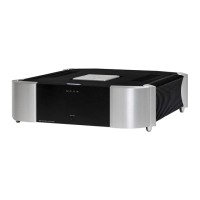
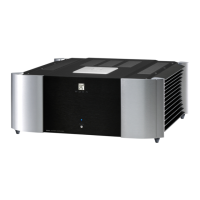
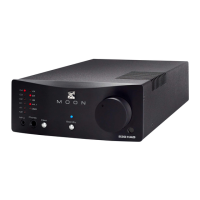
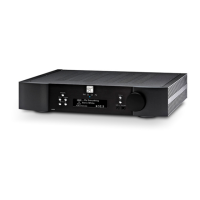
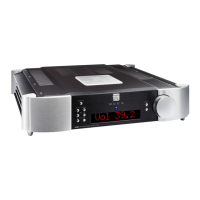
MOON 600i Dual-Mono Integrated Amplifier
SimLink™
The SimLink™ provides communication features between various MOON components. For example, if you were to connect
the 750D CD Player to the 600i Integrated Amplifier via the SimLink™, pressing the
X (play) button on the 750D would
cause the integrated amplifier to automatically switch to it’s designated input for the CD Player.
You must assign the input
with the name
“750D
” for this feature to work
. If you were to adjust the brightness level of the large digital display
window using the “Display” button on the 600i, the brightness level of the 750D’s display will automatically adjust to the
same brightness level as that of the 600i. Conversely, since the SimLink™ is a true bi-directional connection, adjusting the
750D’s brightness level will automatically adjust the brightness level of the 600i.
A third feature of SimLink™ involves the “Standby” function. By pressing down and holding the “Standby” button for 2
seconds on the 600i, all other MOON components connected via the SimLink will go into “Standby” mode along with the
600i. The same logic applies when switching from “Standby” to active mode.
The connection rules for the SimLink™ are very basic. You must always connect the supplied cable between one component’s
“SimLink™ Out” jack and another component’s “SimLink™ In” jack. If you inadvertently connect the cable between either two
“SimLink™ In” or two “SimLink™ Out” jacks, the SimLink™ communication feature will not function. Also, there is no master
component in a SimLink™ chain; no one particular component operates as the main communications controller.
Operating the 600i
We recommend that you leave your MOON 600i dual-mono integrated amplifier powered up at all times to maintain optimal
performance. In the event that you plan to be away from your home for a few days, powering off the integrated amplifier
may not be a bad idea. Once fully “broken-in”, please keep in mind that your 600i will require several hours of playing time
before it reaches its peak performance after you’ve powered it up again.
Turning on your MOON 600i for the first time
Prior to turning this integrated amplifier on for the first time, make sure that every cable is properly connected to avoid any
problems. Then turn on your integrated amplifier in the following manner:
1) Flick the main rocker switch labeled “POWER” to the ‘1’ (on) position on the rear of the controller chassis.
2) Press the push button labeled “Standby” on the 600i, the blue LED’s on both chassis’ will confirm operation and
the digital display will illuminate. You are now ready to begin listening to music.
On and Off Sequence
To avoid having any annoying noises (ie. “thumps” and “pops”) emanate from your speakers when powering your 600i on or
off, you should
1) Always power up your 600i integrated amplifier affer powering up your source component(s).
2) Always power down your 600i before powering down your source component(s).
____________________________________________________________________________________
SimLink™ / Operating The 600i 13


 To Next Page