11
Rev. 1.0
11/28/2017
STF-D/IP Hardware Manual
400-820-9661
Using DCHP
If you want to use your drive on a network where all or most of the devices use dynamic IP
addresses supplied by a DHCP server, set the rotary switch to
“
F
”
. When the drive is connected
to the network and powered on, it will obtain an IP address and a subnet mask from the server
that is compatible with your PC. The only catch is that you won
’
t know what address the server
assigns to your drive. S
T Configurator can find your drive using the Drive Discovery feature, as
long as your network isn
’
t too large. With the drive connected to the network and powered on,
select Drive Discovery from the Drive menu.
Y
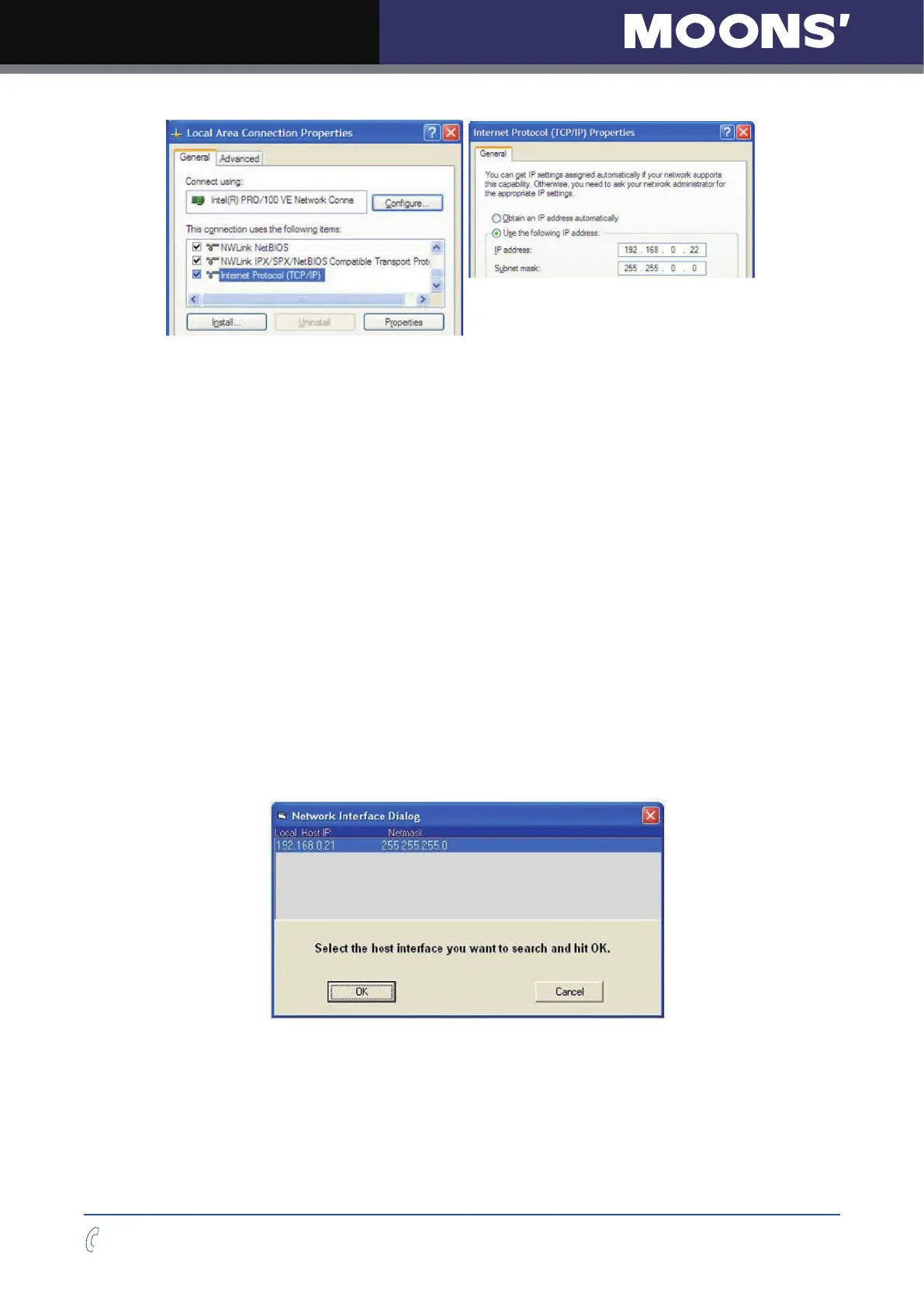
ou will see a dialog such as this:
Normally, Drive Discovery will only detect one network interface card (NIC), and will select it
automatically. If you are using a laptop and have both wirele
ss and wired network connections, a
second NIC may appear
.
Please select the NIC that you use to connect to the network to which you
’
ve connected your
drive. Then click OK. Drive Discovery will notify you as soon as it has detected a drive.
If you think this is the correct drive, click Yes. If you
’
re not sure, click Not Sure and Drive
Discovery will look for additional drives on your network. Once y
ou
’
ve told Drive Discovery which
drive is yours, it will automatically enter that drive
’
s IP
address in the IP address text box so that
you are ready to communicate.



 To Next Page