www.miinet.com Moore Industries-International, Inc.
- 26 -
User’s Manual
238-741-00K
May 2019
Moore industries-International, Inc.
Bench Check
We highly recommend that you perform a bench check of your THZ
3
/TDZ
3
prior to installing it in
the eld. Doing this will ensure it is operating within your expectations or requirements.
Bench Check using a HART Handheld Communicator
To perform the bench check of your THZ
3
/TDZ
3
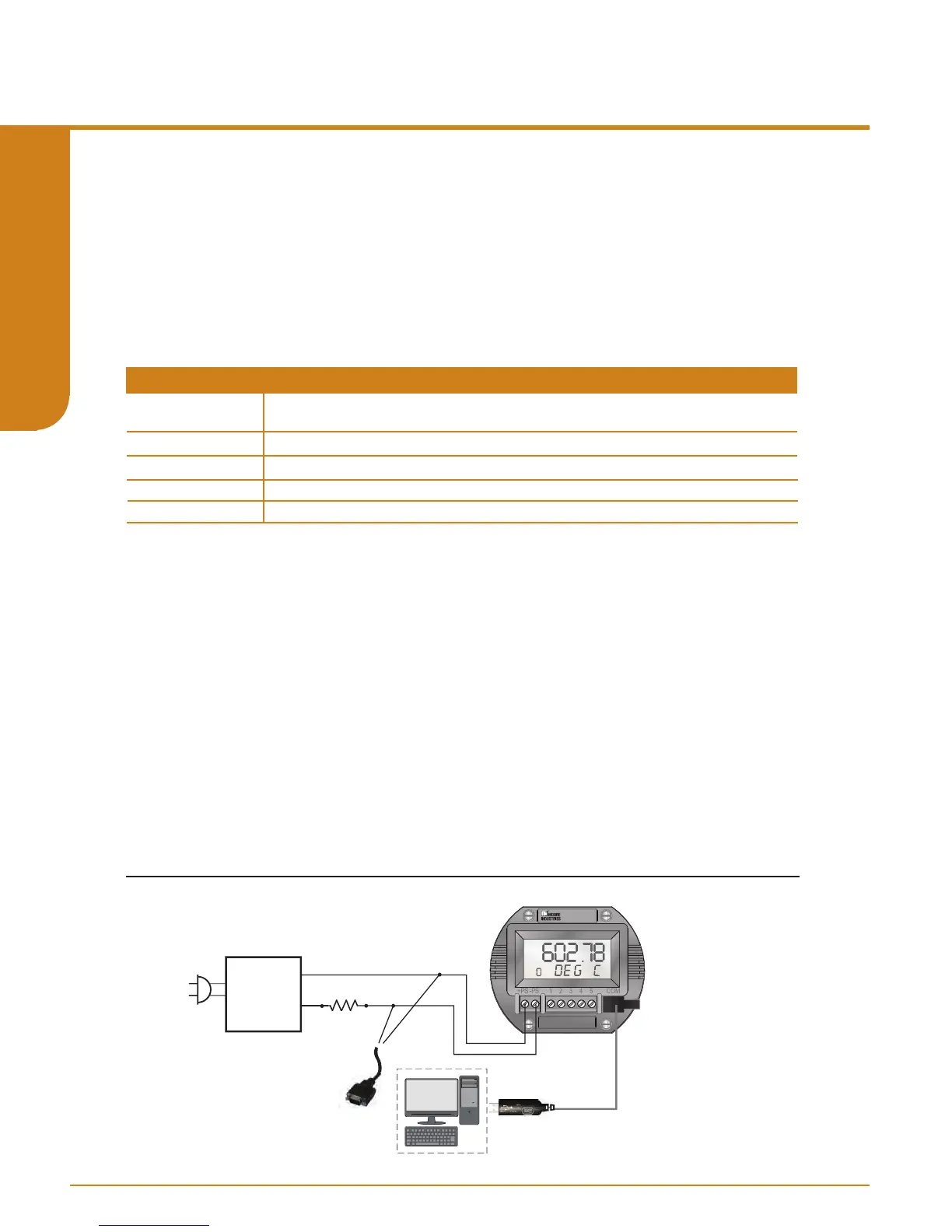
set up the equipment in Table 2.3 as shown in
Figures 2.13.
Table 2.3. Bench Check Necessary Equipment
Connect your THZ
3
/TDZ
3
as shown if gure 2.13. See Section 4 of this manual to congure your
THZ
3
/TDZ
3
as appropriate for your application. If possible, use the exact temperature sensor
(RTD or thermocouple) that you will be using in your nal application. Apply power to the
THZ
3
/TDZ
3
and see that it is reading the correct ambient temperature and providing the correct
output for the given input.
Example: If your TDZ
3
is congured to measure a temperature range of 50-100° F and is
now on your test bench and is reading an ambient temperature of 72° then you should
expect an output of 11.04mA.
If it is not feasible for you to use the actual temperature sensor for your bench test, or if your
desired temperature range is nowhere near your ambient temperature, then use a temperature
simulator (such as a Fluke 725 or similar) to provide your input.
Once your bench setup is complete you can now use your FDT/DTM software to check the
transmitter’s dynamic variables and analog output. If using PACTware you can use the
“Measured value” menu command to view the transmitter’s real time values (see Section 5.24 of
this manual).
Figure 2.13. Bench Check Setup
12-24Vdc
Power
Supply
Load= 250 ohm
+
-
ADDR
TDZ
3
Moore Industries
P/N: 804-030-26
To USB
Port of PC
PC
HART Modem
connects to
Serial/USB
COM Port of PC
Accurate to ±0.05% of span for the intended application.
24Vdc, ±10%
250 ohm with ±0.01% precision
Calibrated to an accuracy of ±0.025%, or better; such as Fluke Model 725, or similar
Any HART HandHeld Communicator or Host (with THZ3/TDZ3 Device Description loaded)
Device
Specifications
Millivolt or
Resistance Source
Power Supply
Load Resistor
Multimeter
HART Communicator
Programmable Smart HART Temperature Transmitter
THZ
3
/ TDZ
3
SECTION 2



 To Next Page