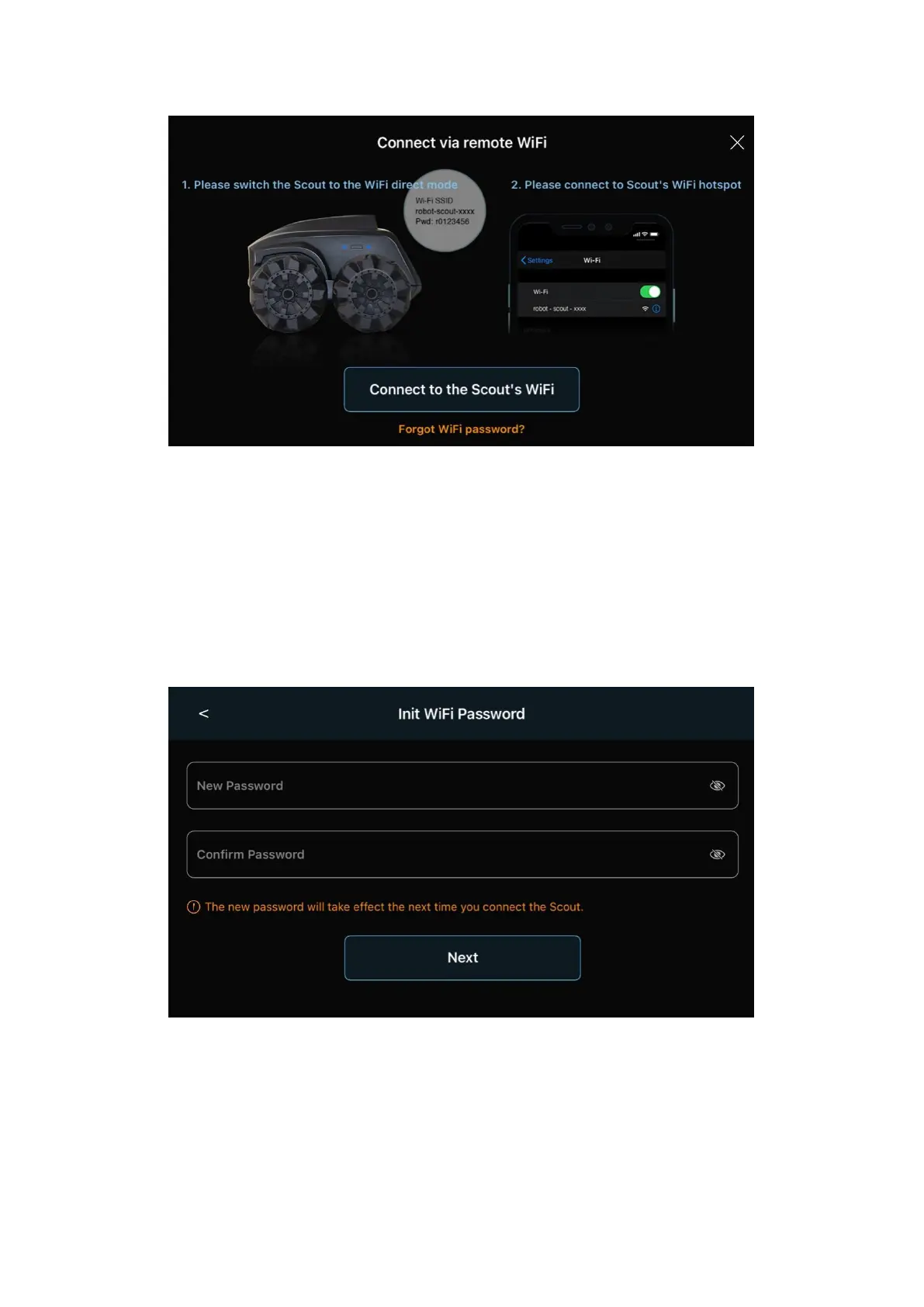
After it powers up, the Wi-Fi shall stay in the “Wi-Fi Direct” Mode,
which is the out-of-factory condition. Scan Wi-Fi around you. There
should be Wi-Fi with the SSID name robot_scout_XXXXXX. This is
Scout.
Connect to it with the default password r0123456. For iOS users, you
need to grant “local access” to Scout App.
Next, choose a new password for your Scout.
Now, you can play with the robot already. Scout supports WPA2
protocol only.


 To Next Page