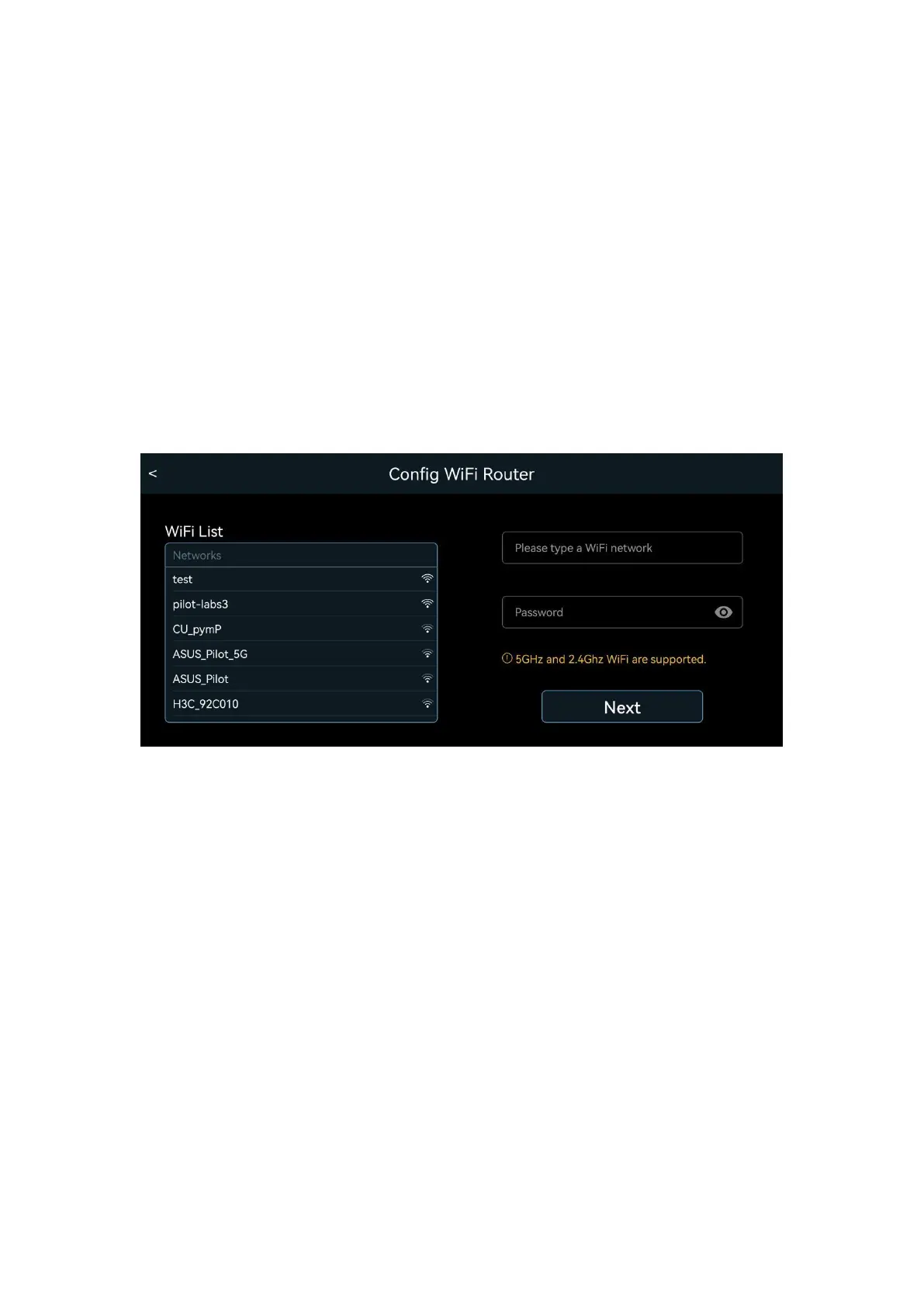
Connecting Scout to your Home Wi-Fi Network
If you want to set up the robot as an IoT device, follow the App,
choose or type in your home Wi-Fi SSID and provide the password.
This must be done in the “Wi-Fi Direct” mode when the mobile phone
connects to Scout.
If successful, the robot can switch to the “Wi-Fi Router” mode
automatically and connect to the internet. You can control the robot
and view the video worldwide in “Wi-Fi Router” mode.
Over-The-Air (OTA) update
Once Scout connects to the internet, check the setting Tab and see if
there is a new Firmware Update available. The Over-The-Air (OTA)
update could take several minutes and may require manual reboot.


 To Next Page