EasyManua.ls Logo

Moosoo R4 - User Manual

Moosoo R4
28 pages
Print Icon
To Next Page IconTo Next Page
Loading...
Instructions Manual
Robotic Vacuum Cleaner
Model: R4
For any questions and malfunctions of the appliance during use, please contact our customer service email: usa@imoosoo.com
Question and Answer IconNeed help?

Do you have a question about the Moosoo R4 and is the answer not in the manual?

Summary

Safety Instructions

Cautions

Important safety precautions for product usage, emphasizing authorized technicians and proper adapter use.

Warnings

Critical safety warnings regarding battery, environment, usage in wet areas, and handling of power cords.

Product Overview

Product and Accessories List

Lists and illustrates the main unit and its included accessories like the docking station, power adapter, and cleaning tools.

Component Identification

Diagrams identifying key components of the main unit from the front and rear perspectives.

Dust Box and Charging Dock

Detailed illustration and labeling of the dust box and charging dock components.

Attention and Preparations

Important Considerations

Considerations before starting, focusing on clearing the area and avoiding wet environments.

Initial Setup Preparations

Instructions on removing the protective strip from the main unit before initial use.

Charging the Main Unit

Charging Process and Notes

Steps for setting up the docking station and charging the unit, including time, indicators, and important notes.

Use Instructions

Basic Operation

Covers powering the unit on/off, starting, pausing, and resuming cleaning operations.

Operating Modes and Status

Details on sleep mode, handling faulty states, charging the vacuum, and resetting Wi-Fi.

Navigation Features

Explains advanced navigation features like Pin and Go and setting restricted zones or virtual walls.

App Functions

Details on using the mobile app for map updates, zone cleaning, cleaning modes, and DND settings.

Parts Maintenance

Regular Maintenance Schedule

Details the recommended frequency for cleaning and replacing main unit components.

Dust Box and Filter Maintenance

Instructions for cleaning and maintaining the dust box and its filters, including washing prefilters.

Brush and Wheel Maintenance

Instructions for cleaning the main roller brush, side brushes, and wheels.

Component Cleaning Guide

Guidance on cleaning charging electrodes, sensors, drive wheels, and omnidirectional wheels.

Troubleshooting

Error Code Solutions

Provides solutions for specific error prompts indicated by the vacuum cleaner's laser, sensors, or wheels.

Common Faults and Solutions

Addresses common faults like power issues, charging problems, abnormal behavior, and Wi-Fi connectivity.

Operational Faults and Behavior

Details solutions for operational issues like scheduled cleaning failures, movement problems, and missed areas.

Installation and Connectivity

App Setup and Wi-Fi Connection

Guide to downloading the Smart Life app and connecting the vacuum to Wi-Fi via fast connection.

Hotspot Pairing Method

Instructions for connecting the vacuum cleaner using the hotspot pairing method.

Overview

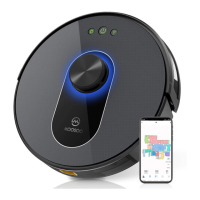
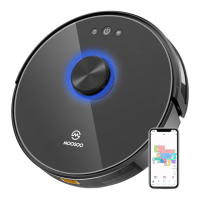
This document is an instruction manual for the MOOSOO Robotic Vacuum Cleaner, Model R4.

Function Description

The MOOSOO R4 Robotic Vacuum Cleaner is designed for automated floor cleaning in indoor environments. It operates by dynamically planning cleaning routes based on a scanned map of the area, sweeping along walls, and then moving in a zigzag pattern to clean the remaining parts of a zone efficiently. The vacuum cleaner can be controlled via a mobile app, allowing users to specify target points for cleaning, set restricted zones or virtual walls, and select specific areas for cleaning. It also features automatic return to the docking station for charging when power is low and can resume cleaning from the interrupted point if the resumable cleaning function is enabled. The device includes a DND (Do-Not-Disturb) mode to prevent automatic cleaning or voice prompts during specified periods.

Important Technical Specifications

  • Product Model: R4
  • Input: 100~240V, 50/60Hz
  • Power: 30W
  • Battery Capacity: Li-ion 3000mAh
  • Dust Box Capacity: 0.6L
  • Cleaning Time: Max, 120 min
  • Charging Time: Around 300 min (approximately 6.5 hours for a full charge)
  • Operating Temperature: 0°C to 40°C
  • Wi-Fi Connectivity: Supports 2.4 GHz Wi-Fi network for app control.

Usage Features

  • Power On/Off: Tap and hold the On/Pause button to power on or off. The vacuum cleaner cannot be powered off while charging.
  • Start Cleaning: Press the On/Pause button to initiate cleaning. The robot plans its route and cleans zone by zone.
  • Pause Cleaning: Press the On/Pause button to pause. Press again to continue, or press the Return to docking station button to stop the current task and return to the dock.
  • Sleep Mode: Automatically enters sleep mode after 10 minutes of inactivity. Can be woken by pressing any button. Does not enter sleep mode while charging. Powers off after 12 hours in sleep mode.
  • Charging: Automatically returns to the docking station for charging when power is low. Manual return to docking station is also possible via the app or by pressing the Return to docking station button in pause state.
  • Faulty State: Indicated by a quickly blinking red power indicator and voice prompts. Enters sleep mode after 10 minutes in faulty state if no operation is performed.
  • Wi-Fi Settings: Can be reset for re-pairing with a mobile phone, especially after changes in router settings or forgotten passwords. The Wi-Fi function is automatically disabled if in wait-to-connect state for more than 2 minutes.
  • Mobile App Control:
    • Pin and Go: Specify a target point on the map for the vacuum cleaner to clean a 1.6mx1.6m square zone centered on that point.
    • Restricted Zone/Virtual Wall: Set areas where the vacuum cleaner should not enter or cross for cleaning. Requires map save mode to be enabled.
    • Selected Zone Cleaning: Choose one or more specific zones/rooms on the app map for cleaning.
    • Configured Zone Cleaning: Define a zone for cleaning within the app.
    • Cleaning Mode: Select between Energy saving, Standard (default), and Strong modes.
    • DND Mode: Prevents automatic cleaning and voice prompts during set periods.
    • Real-time map update, Cleaning record viewing, Robot voice changing, Robot positioning, Volume adjustment, Map management, Firmware update, Robot status viewing.

Maintenance Features

Regular maintenance is crucial for optimal cleaning performance and extending the product's lifespan.

  • Dust Box:
    • Remove by pressing the button on the dust box.
    • Open the side cover and dump trash.
    • Open the HEPA filter cover.
    • Take out HEPA filter and prefilter. Tap the HEPA filter to remove dust (water washing is not recommended for HEPA filter).
    • Wash the prefilter every 15 to 30 days.
    • Wipe the dust box clean with a cloth (do not wash with water).
    • Dry all components thoroughly before reinstallation.
    • Install prefilter and HEPA filter back into the dust box, then install the dust box on the main unit.
    • Replacement Frequency: Filter every 2 months, HEPA filter every 3 months.
  • Roller Brush:
    • Clean weekly.
    • Open the roller brush cover assembly, take out the shaft, and use a tool to clean tangled hair.
    • Replacement Frequency: Every 6 to 12 months.
  • Side Brush:
    • Clean monthly.
    • Clean entangled foreign objects.
    • Replacement Frequency: Every 3 to 6 months, or when obviously damaged.
  • Roller Brush Cover:
    • Clean monthly.
    • Replacement Frequency: Every 3 to 6 months, or when the rubber silicon strip is obviously damaged.
  • Charging Electrode: Clean monthly.
  • Anti-fall Sensor: Clean monthly.
  • Drive Wheel and Omnidirectional Wheel:
    • Clean monthly.
    • Remove dust or entangled objects. For the omnidirectional wheel, a screwdriver may be needed to pull it out and rinse it.
  • Wall Sensor/Cliff Sensor: Wipe with a soft dry cloth if cleaning performance is degraded or if the vacuum cleaner misses areas.

The manual also provides a comprehensive troubleshooting guide for various error prompts and common issues, offering solutions such as checking for blockages, cleaning sensors/brushes, ensuring proper charging, and resetting Wi-Fi settings.

Moosoo R4 Specifications

General IconGeneral
BrandMoosoo
ModelR4
CategoryVacuum Cleaner
LanguageEnglish

Related product manuals