Chapter 1 Getting Started Overview of the C5t/F5t 7
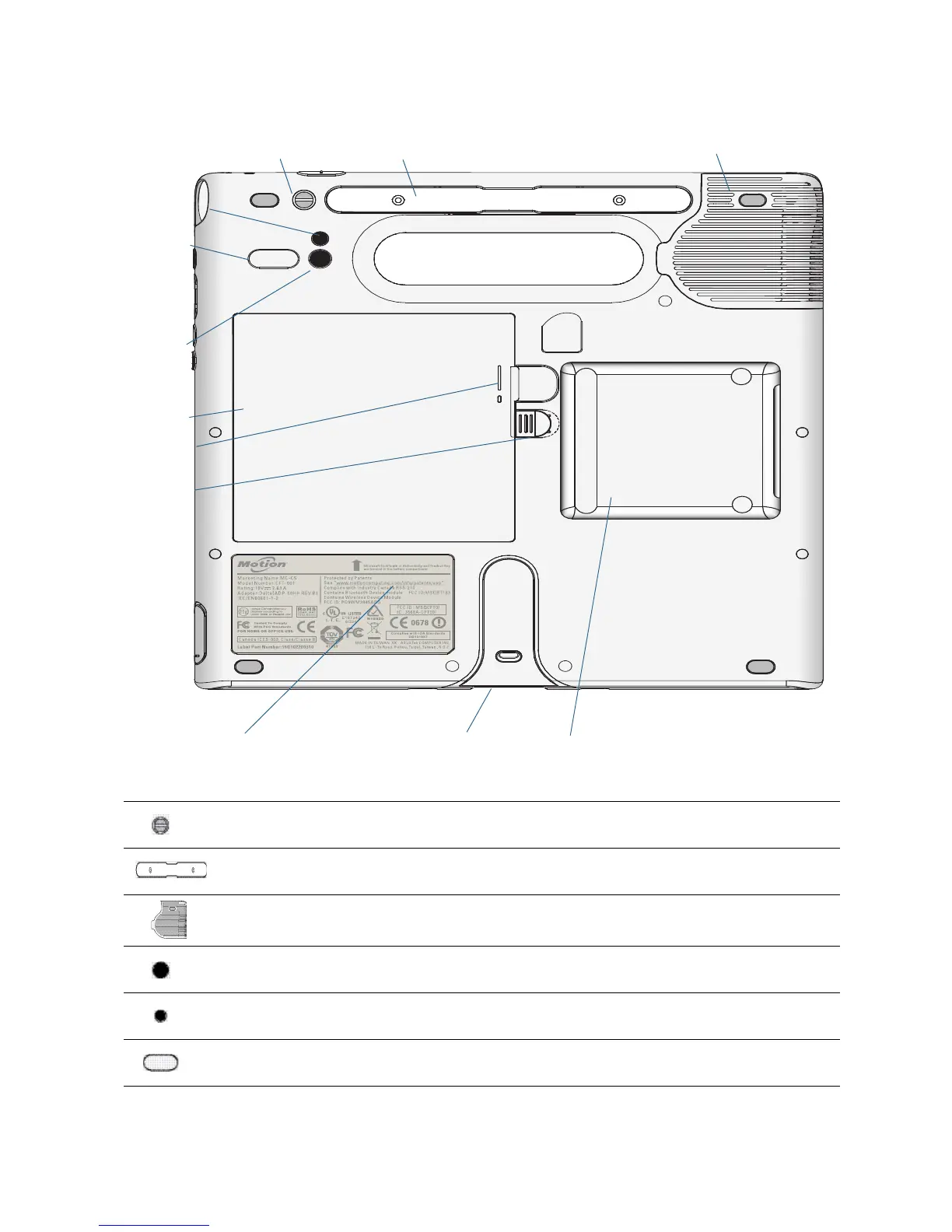
Back
Pen tether Attach the pen tether.
Pen holder Use to store the pen when not in use.
Fan cover Protects the fan assembly.
Camera (optional)
lens
Capture images to the hard drive.
Camera (optional)
light
Provides light for the documentation camera.
Speaker Use for listening to audio.
Pen tether Pen holder
Camera light
Camera lens
Battery
Docking guide
Speaker
Smart card reader
Battery latch
Regulatory label
Fan cover
Battery gauge



 To Next Page