Chapter 2 Using your C5t/F5t Using the battery 43
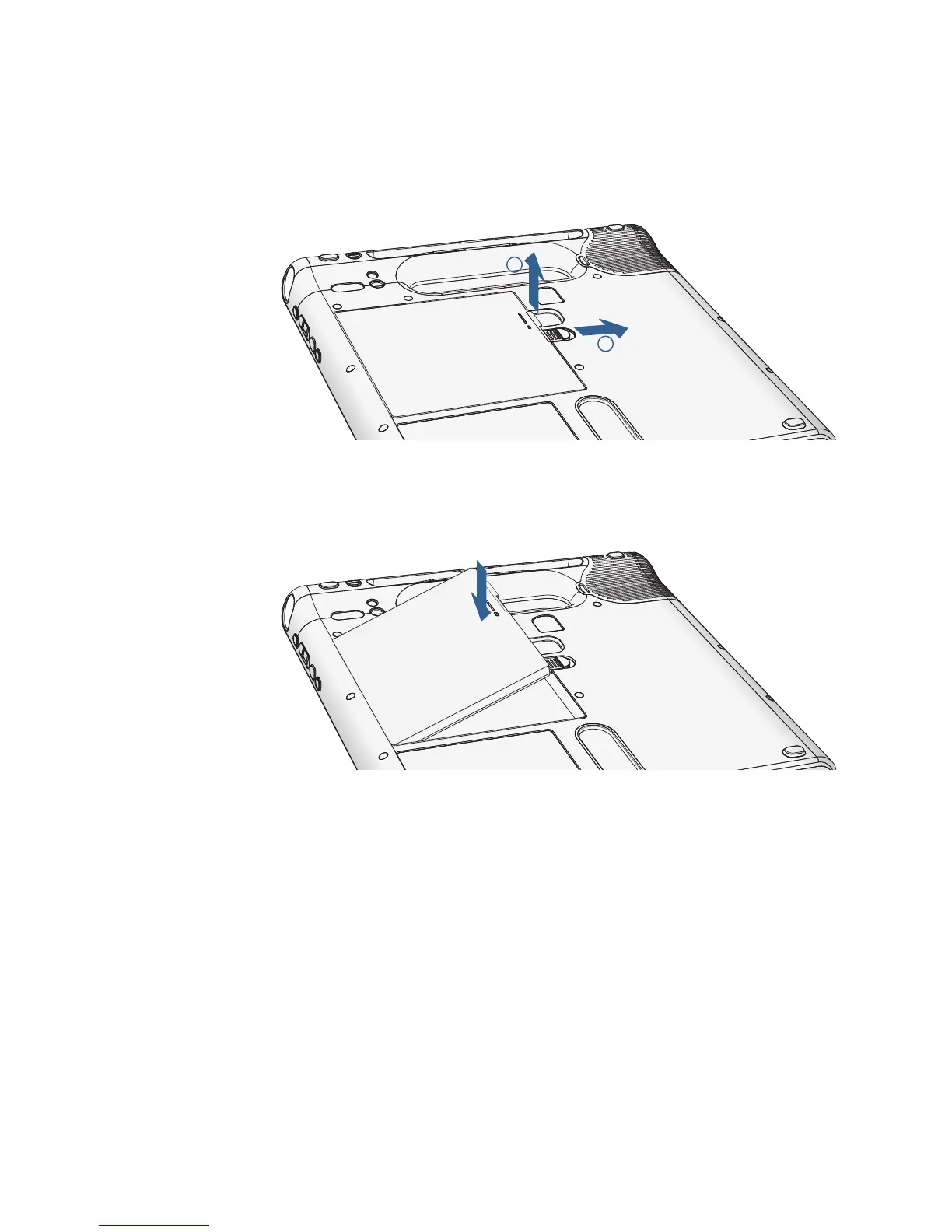
To remove the battery:
1. With the back of the unit facing you, slide and hold the battery latch.
2. Insert your finger under the finger grip and remove the battery from the battery
compartment.
To replace the battery:
1. Place the tabbed end of the battery into the battery compartment.
2. Press the battery down until it locks into place.



 To Next Page