EasyManua.ls Logo

Motomaster Eliminator Precision Series - User Manual

Motomaster Eliminator Precision Series
7 pages
Print Icon
To Next Page IconTo Next Page
Loading...
continuation tabs
continuation tabs
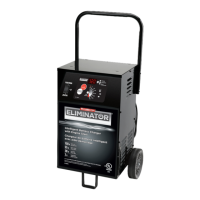
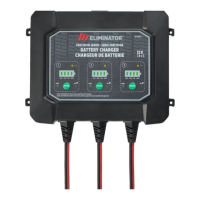
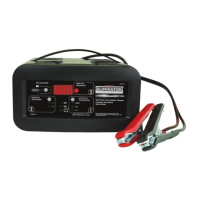
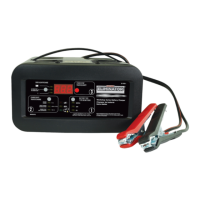
Model no. 011-1970-8
IMPORTANT SAFETY INSTRUCTIONS.
SAVE THESE INSTRUCTIONS.
This manual contains important safety and operating instructions.
INSTRUCTION
MANUAL
PRECISION SERIES
BATTERY CHARGER

Questions and Answers

  • V
    vweaverAug 6, 2025
    What to do if my Motomaster Battery Charger has an overheat shutdown?
    • C
      Cody CameronAug 6, 2025
      If the Motomaster Battery Charger overheats, make sure that the ventilation to the charger is not obstructed. You may also want to move the charger to a cooler location. Charging will resume once the charger cools down.
  • J
    john67Aug 12, 2025
    What to do if the red fault LED is on for Motomaster Battery Charger?
    • A
      adam99Aug 12, 2025
      If the red fault LED is illuminated, it could be due to several reasons. First, the clamps might be inversely connected to the battery; in this case, reverse the clamp connections. Second, the battery voltage might still be less than 10 V after charging; if so, the battery is likely defective and should be tested or replaced. Third, the battery may not have reached full charge after 24 hours, indicating a defective battery that needs testing or replacement. Also, ensure the battery is 12 V, not 24 V. Additionally, try removing any loads on the battery while charging and try charging again. Finally, the charger current might be too low for the battery's capacity, so consider using a higher current charger.
  • E
    Elizabeth SolisAug 20, 2025
    Why is the amber fault LED illuminated on my Motomaster Eliminator Precision?
    • K
      Kevin PerezAug 20, 2025
      If the amber fault LED is illuminated, it could be due to a poor clamp connection to the battery posts. Check the clamp connection, ensure the battery posts are clean, and rock the clamps back and forth to ensure a good connection. Another cause could be that the battery voltage is too low (less than 1.5 V) to activate the charger. Check the battery voltage with a voltmeter; if it's less than 1.5 V, test or replace the battery.
  • W
    williamduncanAug 27, 2025
    How to fix Motomaster Eliminator Precision when no LEDs illuminate?
    • R
      Robin DuranAug 27, 2025
      If no LEDs illuminate when the Motomaster Battery Charger is plugged into an AC outlet, first check the connection at the AC power to ensure it is not loose. If the connection is secure, ensure there is power at the AC outlet by plugging in a different appliance.

Summary

Introduction

Important Safety Instructions

Crucial safety warnings and instructions must be read and followed.

Personal Safety Instructions

Guidelines for safe operation and handling near batteries.

AC Electrical Connections

Instructions for connecting the charger to a power source.

Using an Extension Cord

Guidelines for using extension cords safely with the charger.

Connecting Your Battery

Connecting Battery in Vehicle

Step-by-step guide for connecting battery while installed in a vehicle.

Connecting Battery Outside Vehicle

Step-by-step guide for connecting battery when removed from a vehicle.

DC Connection Precautions

Critical safety precautions for DC clip connections to prevent hazards.

Controls and Indicators

Charge Status Indicator

Explains the LED indicators for battery charge status.

Fault;Error Indicator

Describes the fault/error LED and its meaning.

Charging Modes

Details the different charging modes available.

Charging Your Battery

Using Reconditioning Mode

Instructions and cautions for using the reconditioning mode.

Using Power Supply Mode

Instructions and cautions for using the power supply mode.

Factors Affecting Charging Time

Factors influencing battery charging duration.

Multi-Stage Charging Process

Details the multi-stage charging process.

Maintenance and Care

Troubleshooting

Technical Specifications

Motomaster Eliminator Precision Series Specifications

General IconGeneral
Battery Voltage6V/12V
Input Voltage120V AC
Output Voltage6V/12V DC
Battery TypeAGM
FeaturesReverse polarity protection
Safety FeaturesOvercharge protection, Short circuit protection

Related product manuals