03. CONFIGURATION 03. CONFIGURATION
EXTENDED MENU 1 EXTENDED MENU 2
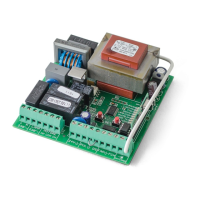
The control board is supplied by the manufacturer with an extended menu 2, which
provides access to more functions to the control board.
To access the options menu extended 2 proceed as follows:
01. Enter the extended menu 1 (see page 06.B).
02. Press continuously the SET button for 5 seconds and the LED T.PAUSA and LED
T. RIT. ANTE will flash simultaneously.
03. You have 30 seconds to select functions from the extended menu 2 (using the
SEL and SET button), and after this time the control board returns to the main menu.
EXTENDED MENU 2
LED LED OFF LED ON
• AUT/P.P.
Follow Me OFF Follow Me ON
• CODE
Pre Flash Lamp OFF Pre Flash Lamp ON
• CODE PED.
Flash lamp on pause OFF Flash lamp on pause ON
• INB. CMD. AP
Soft start OFF Soft start ON
• T. MOT.
Electronic lock PED OFF Electronic lock PED ON
• T. MOT. PED
PUL=PUL | PED=PED PUL=AB | PED=FECH
• T. PAUSA.
Intermittent ON/OFF simultaneously
• T. RIT. ANTE
Intermittent ON/OFF simultaneously
With the programmed pause time, it is possible to trigger "Follow Me" option.
With this option enabled, whenever the photocells detected the passage of a user/
object, the control board triggers the closing maneuver after 5 seconds.
Activate (LED ON) / deactivate (LED OFF) function:
01. Enter the extended menu 2.
02. Press once the SET button and the LED AUT/P-P will flash.
03. Press once SET button to enable / disable the function.
The LED AUT/PP ON signals that the function is activated and the LED OFF signals
that the function is disabled.
• AUT/P-P | FOLLOW ME
With the functioning in pre flash lamp, the output 03 and 04 (CN2) will always be acti-
vated 3 seconds before the automation start a movement. When disabled, the function
returns flash lamp.
The control board is supplied by the manufacturer with the pre flash lamp disabled.
Activate (LED ON)/deactivate (LED OFF) function:
01. Enter the extended menu 2.
02. Press SEL button as often as necessary until the LED CODE will flashing
03. Press once SET button to enable / disable the function.
The LED CODE ON signals that the function is activated and the LED OFF signals that
the function is disabled.
• CODE | PRE FLASH LAMP/LAMP.CORT
With this option enabled, whenever the motor is in pause time at output 230V for flash
lamp will stay on.
The control board is supplied by the manufacturer with the flash lamp paused, disabled.
Activate (LED ON) / deactivate (LED OFF) function:
01. Enter the extended menu 2.
02. Press SEL button as often as necessary until the LED CODE PED will flashing.
03. Press once SET button to enable / disable the function.
The LED CODE PED ON indicates that the function is activated and the LED OFF signals
that the function is disabled.
• CODE PED | OPERATION OF OUTPUT 230V FOR FLASH LAMP DURING THE PAUSE TIME
EXTENDED MENU 2
Activate (LED ON) / deactivate (LED OFF) function:
01. Activate the extended menu 1.
02. Press SEL button as often as necessary until the LED T. MOT. will flashing.
03. Press SET button for 1 second.
04. The LED T.MOT. on indicates that the function is activated and the LED off indicates
that the function is disabled.


 To Next Page
 Loading...