18
AUDIO/VIDEO CONNECTIONS
NOTE
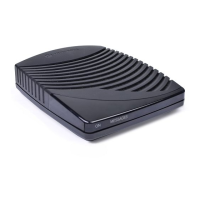
It is important to remember not to place anything
on top of the DCT2000 and to provide for
adequate ventilation to prevent overheating.
Before you begin to hookup your DCT2000, review the following:
• For basic cable connections, use 75-ohm coaxial cables equipped with
F-type connectors. You can find coaxial cables in your local electronics
store.
• For audio or video outputs, use cables equipped with RCA-type
connectors.
• For the optical digital output, use an optical (TOSLINK) audio cable.
• Disconnect power from the DCT2000 before connecting or changing
cable connections.
• Do not place anything on top of the DCT2000, especially other home
video components.
It is recommended that you use RCA cable specifically designed for digital
audio transmission when using the
COAX digital audio output.



 To Next Page