19
CONNECTING YOUR DCT2000
R
RF
IN
CABLE IN
TO RF I N
TV Pass Card
AUX AU DIO IN
AUDI O O UT
VIDEO
SPDIF
SWITCHED
60Hz
500W MAX
105-125V
4A MA X
TO
TV/VCR
L
S-VIDEO
IR
CABLE IN
S-VIDEO IN
S-VIDEO OUT
VIDEO IN
VIDEO OUT
LR
AUDIO
OUT
AUDIO
IN
From cable outlet
TV
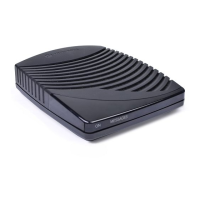
DCT2000
Standard TV Cabling
Use 75-ohm coaxial cables to connect your DCT2000 to a TV. This is the
most common cable connection, and it provides all of the basic features of
the DCT2000.
If you are using a diagram that connects the coaxial
TO TV/VCR connector on
the DCT2000 to the coaxial
CABLE IN connector on the TV, you must tune
your TV to channel 3 or 4.
The illustrated connections will not provide stereo on digital channels. Connect the
DCT2000 using RCA baseband connectors to receive stereo on digital channels
(illustrated later in this section).



 To Next Page