User Manual
7
Hardware Description and Installation
Note:
T
he figures in this document are for reference only.
2
.1 Hardware Description
2
.1.1
F
ront Panel
F
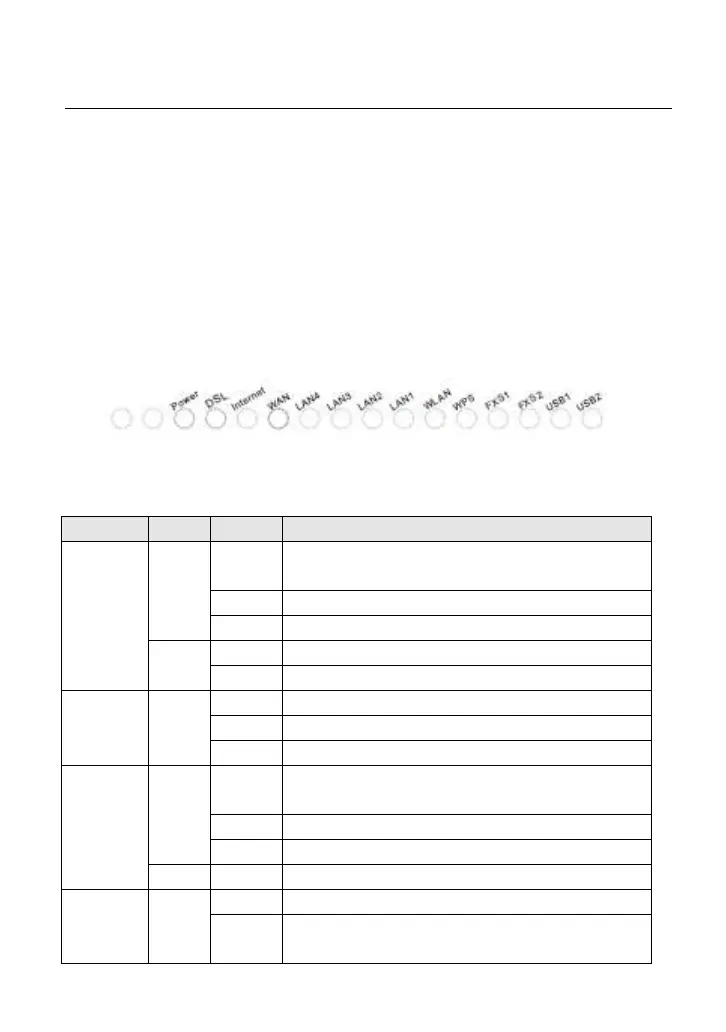
igure 1 Front panel
Th
e following table describes the indicators on the front panel.
Ind
icator
C
olor
S
tatus
De
scription
Po
wer
Green
On
Th
e device is powered on and the device operates
normally.
Blin
k The software is upgrading.
Off The device is powered off.
R
ed
O
n The device is initiating.
Blink The software is upgrading.
D
SL Green
On D
SL link has established.
Blin
k The DSL line is training.
O
ff Device is powered off.
Inte
rnet
Green
On
Internet is synchronized successfully in the route
mode.
Blin
k Internet data is being transmitted.
Off Ethernet interface is disconnected.
R
ed On Authentication has failed.
L
AN
1/2/3/4
Green
On The Ethernet interface is connected.
Blin
k
Data is being transmitted through the Ethernet
interface.



 To Next Page
 Loading...










