User Manual
75
4
.2.9
D
NS
DNS Server
C
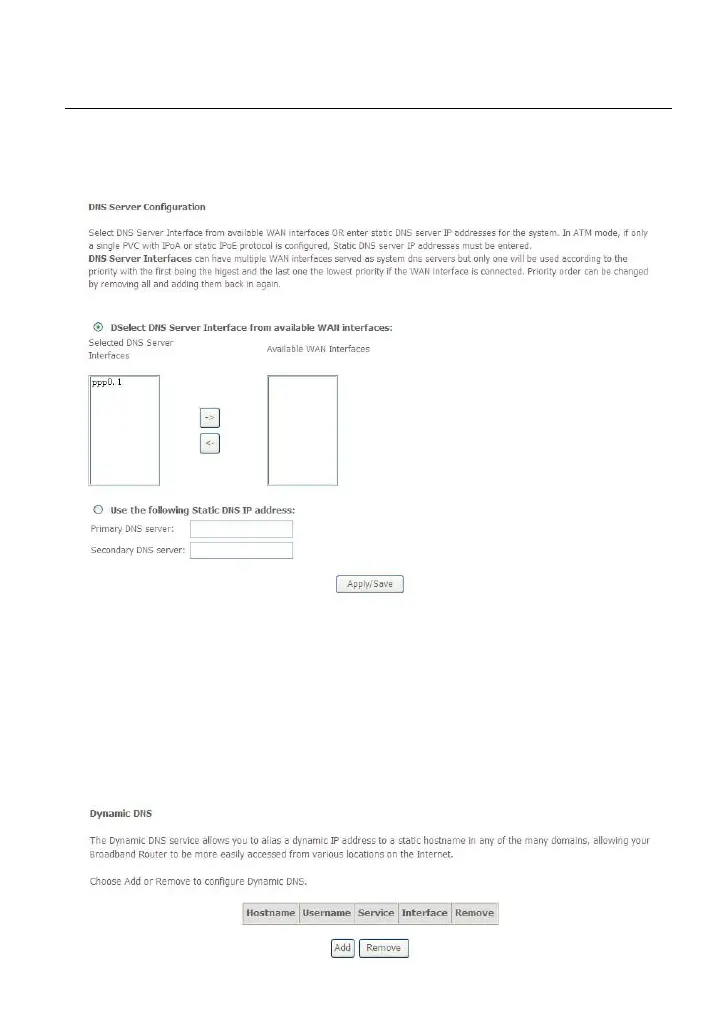
hoose Advanced Setup > DNS > DNS Server and the following page appears.
In
this page, you can select a DNS server interface from the available interfaces,
manually enter the DNS server addresses, or obtain the DNS address from a WAN
interface.
After finishing setting, click Apply/Save to save and apply the settings.
Dynamic DNS
C
hoose Advanced Setup > DNS > Dynamic DNS and the following page
appears.



 To Next Page
 Loading...










