User Manual
8
Ind
icator
C
olor
S
tatus
De
scription
Off The Ethernet interface is disconnected.
U
SB Green
O
n The connection of USB flash disk has established.
Blin
k Data is being transmitted.
O
ff No signal is detected.
WL
AN Green
O
n WLAN is enabled.
Blin
k
Data is being transmitted through the wireless
interface.
O
ff WLAN is disabled.
WP
S Green
O
n
Connection succeeds under Wi-Fi Protected
Setup.
Blin
k
Negotiation is in progress under Wi-Fi Protected
Setup.
O
ff Wi-Fi Protected Setup is disabled.
2
.1.2
R
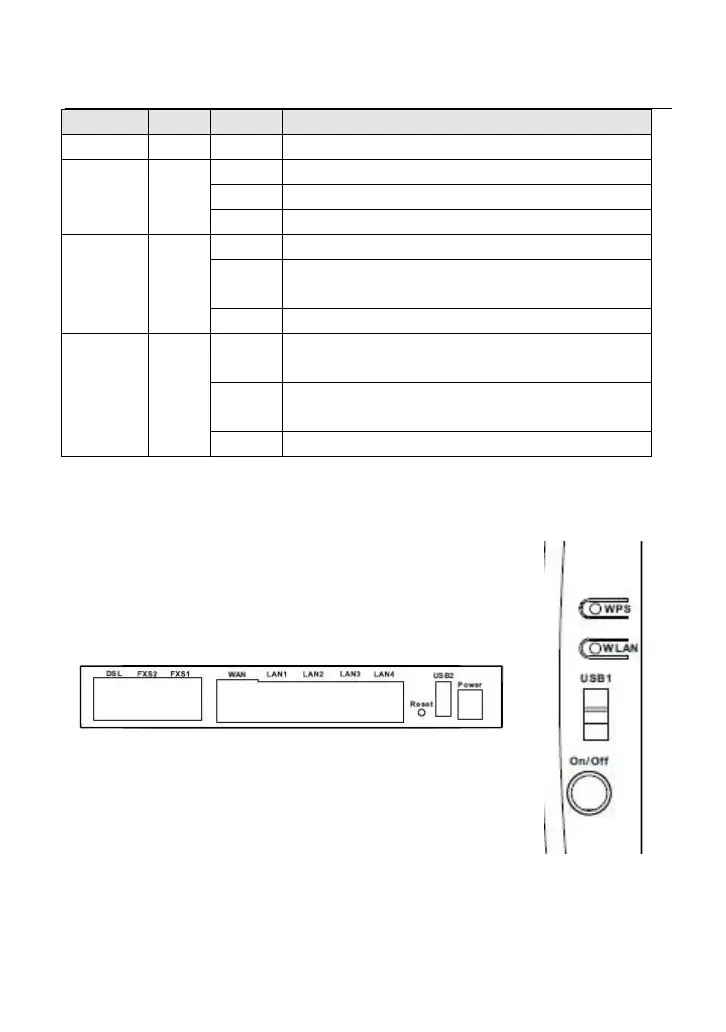
ear Panel and Side Panel
F
igure 2 Rear panel
Figure 3 Side
panel



 To Next Page
 Loading...










