6
INITIAL SETUP
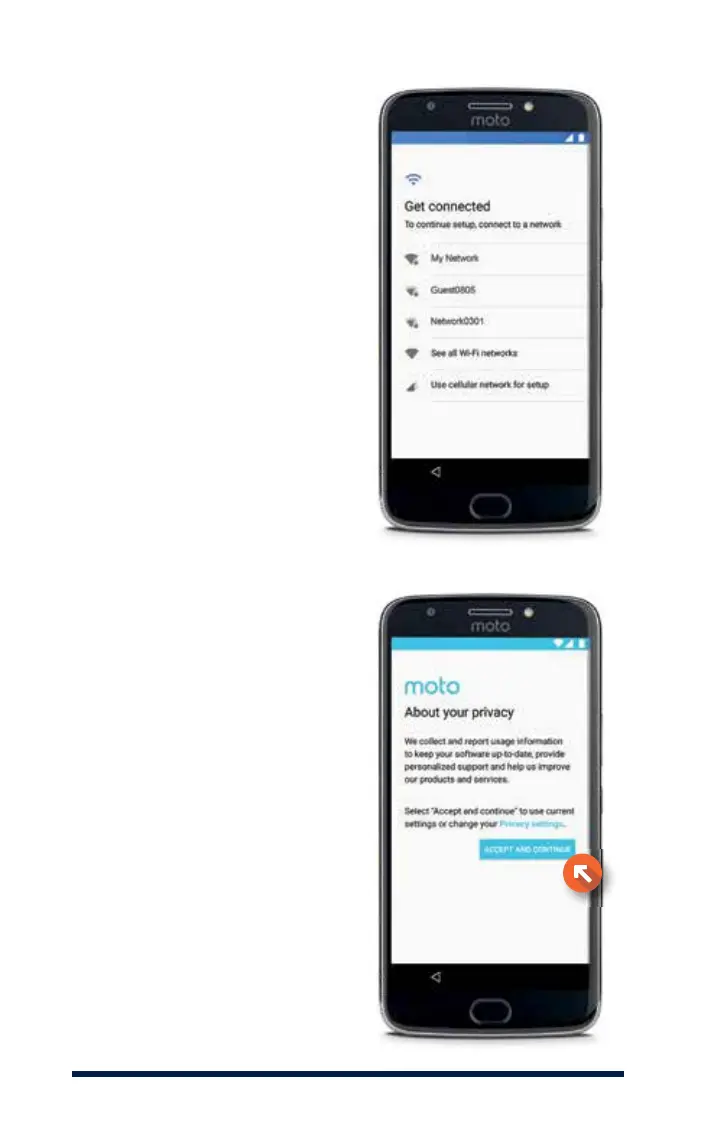
You will then be asked to select
a Wi-Fi network.
Select your Wi-Fi network, then
enter your password (not shown).
You can find more details about
how to set up Wi-Fi on page 20.
We strongly suggest connecting
to Wi-Fi to avoid excess data
usage, but if you do not have
Wi-Fi access you can select
Use cellular network for setup
to continue. This option will use
data from your Connect Plan.
You will have the opportunity to
change your privacy settings. To
continue with the default settings,
press Accept and Continue.







 To Next Page