http://192.168.0.1 in the address bar and press the Enter key.
In the login dialog box, type the following User Name and Password in lower case, then click OK.
User Name: admin
Password: motorola
The status page will appear. If the Status page doesn’t appear, please see the Troubleshooting
Tips below.
For details about the Configuration Manager, please see MG7315-UserManual [pdf].
Wireless Router
As noted before, the MG7315 has a unique Wireless Network Name/SSID and Wireless Security
Key/Password printed on the MG7315’s bottom label. If you don’t change these, you should set up
your wireless devices to work with this SSID and security key.
Note that wireless performance depends on a number of factors. Please keep these things in
mind:
Where possible, put the MG7315 in a central place so that it’s not too far away from your other
wireless devices.
Try to avoid interference from other wireless devices such as Bluetooth headsets and stereos, and
2.4 GHz cordless phones and base stations. Don’t put the MG7315 close to these interfering
devices.
Sometimes it helps to change the MG7315 wireless channel frequency to reduce interference with
neighbors’ wireless networks. This is discussed in the Troubleshooting section of this QuickStart.
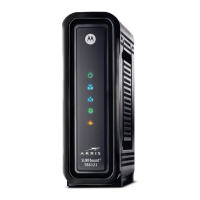
Front Panel Lights
During Power up, the lights will blink for about a minute.
† If a blue light blinks continuously, this indicates partial service (at least one designated channel
has not completed bonding). You should still get high Internet speeds, but your service provider
may want to know so they can adjust their network.



 To Next Page
 Loading...