EasyManua.ls Logo

Motorola RMV2080 - User Manual

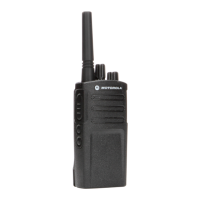
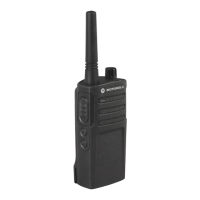
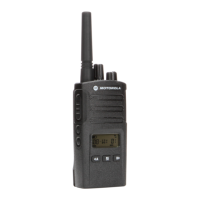
Motorola RMV2080
95 pages
Print Icon
To Next Page IconTo Next Page
Loading...
M
Models RMU2080 & RMV2080

Table of Contents

Questions and Answers

  • I
    ialexanderJul 29, 2025
    Why is there heavy static or interference on my Motorola RMV2080 Two-Way Radio?
    • D
      Darlene MacdonaldJul 30, 2025
      If you're experiencing heavy static or interference with your Motorola Two-Way Radio, it could be due to the radios being too close to each other; ensure they are at least five feet apart. Alternatively, the radios might be too far apart, or obstacles could be interfering with the transmission.
  • R
    Ruth BellAug 9, 2025
    How to increase the talk range on a Motorola RMV2080 Two-Way Radio?
    • C
      crawfordjasonAug 9, 2025
      To improve the limited talk range of your Motorola Two-Way Radio, try changing your location to reduce obstructions. For increased range and coverage, consider increasing power. UHF radios provide greater coverage.
  • W
    wisebrandonAug 19, 2025
    What to do if I cannot activate VOX on my Motorola RMV2080?
    • R
      robert85Aug 19, 2025
      If you cannot activate VOX on your Motorola Two-Way Radio, the VOX feature might be set to OFF. Also ensure that the VOX Sensitivity level is not set to ‘0’.

Summary

SAFETY

PRODUCT SAFETY AND RF EXPOSURE COMPLIANCE

Details product safety and RF exposure compliance requirements.

OPERATIONAL SAFETY GUIDELINES

Provides essential guidelines for safe radio and charger operation.

BATTERIES AND CHARGERS SAFETY INFORMATION

RADIO OVERVIEW

PARTS OF THE RADIO

Identifies and labels the external components of the radio.

RADIO COMPONENTS

Explains the function of various radio parts like knobs, buttons, and indicators.

BATTERY INSTALLATION AND REMOVAL

Step-by-step instructions for installing and removing the Li-Ion battery.

CHARGING THE BATTERY

Instructions on how to charge the radio's battery using various chargers.

CHARGING A STAND-ALONE BATTERY

Procedures for charging the battery separately from the radio.

GETTING STARTED

BASIC OPERATIONS

Covers fundamental operations like powering on/off, adjusting volume, and basic communication.

RECEIVING CALLS AND TALK RANGE

Explains how to receive calls and provides information on the radio's communication range.

HANDS-FREE (VOX) OPERATION

Instructions on using the hands-free (VOX) feature with compatible accessories.

RADIO SETTINGS AND FEATURES

Configuration of VOX sensitivity, microphone gain, battery save, and factory reset options.

PROGRAMMING FEATURES

PROGRAMMING MODE OVERVIEW

Introduction to programming features and the concept of Programming Mode.

ENTERING PROGRAMMING MODE

Steps to enter the radio's programming mode and select channels.

CTCSS;DPL CODE PROGRAMMING

How to read and program CTCSS/DPL codes for interference reduction.

AUTO-SCAN AND ACTIVE CHANNELS

Configuration of Auto-Scan and Active Channels features.

PROGRAMMING EXAMPLES AND TIPS

Provides examples for programming frequencies, codes, and scan settings, along with general tips.

SCAN FEATURE

How to use the radio's scan feature to monitor channels.

SCAN LIST MANAGEMENT

Managing scan lists and temporarily removing nuisance channels.

CLONING RADIOS

TROUBLESHOOTING

COMMON ISSUES AND SOLUTIONS

Addresses problems like no power, interference, scrambled messages, and poor audio quality.

RANGE AND TRANSMISSION ISSUES

Solutions for limited talk range and issues with transmitting or receiving messages.

INTERFERENCE AND BATTERY ISSUES

Troubleshooting static, battery issues, and charger indicator problems.

FEATURE AND CHARGING ISSUES

Addresses problems activating VOX and charging the battery.

USE AND CARE

FREQUENCY AND CODE CHARTS

CTCSS AND PL;DPL CODES

RM SERIES FEATURES SUMMARY

NEW FEATURES

Motorola RMV2080 Specifications

General IconGeneral
BrandMotorola
ModelRMV2080
CategoryTwo-Way Radio
LanguageEnglish

Related product manuals