Introduction Installation Troubleshooting Glossary License
SBV5220 VoIP Cable Modem User Guide 9
Battery Installation
Before you begin the installation, you must first install the battery in your VoIP cable modem. Please read “Safety
Requirements for the SBV5220 Lithium-Ion Battery” on page iv before proceeding.
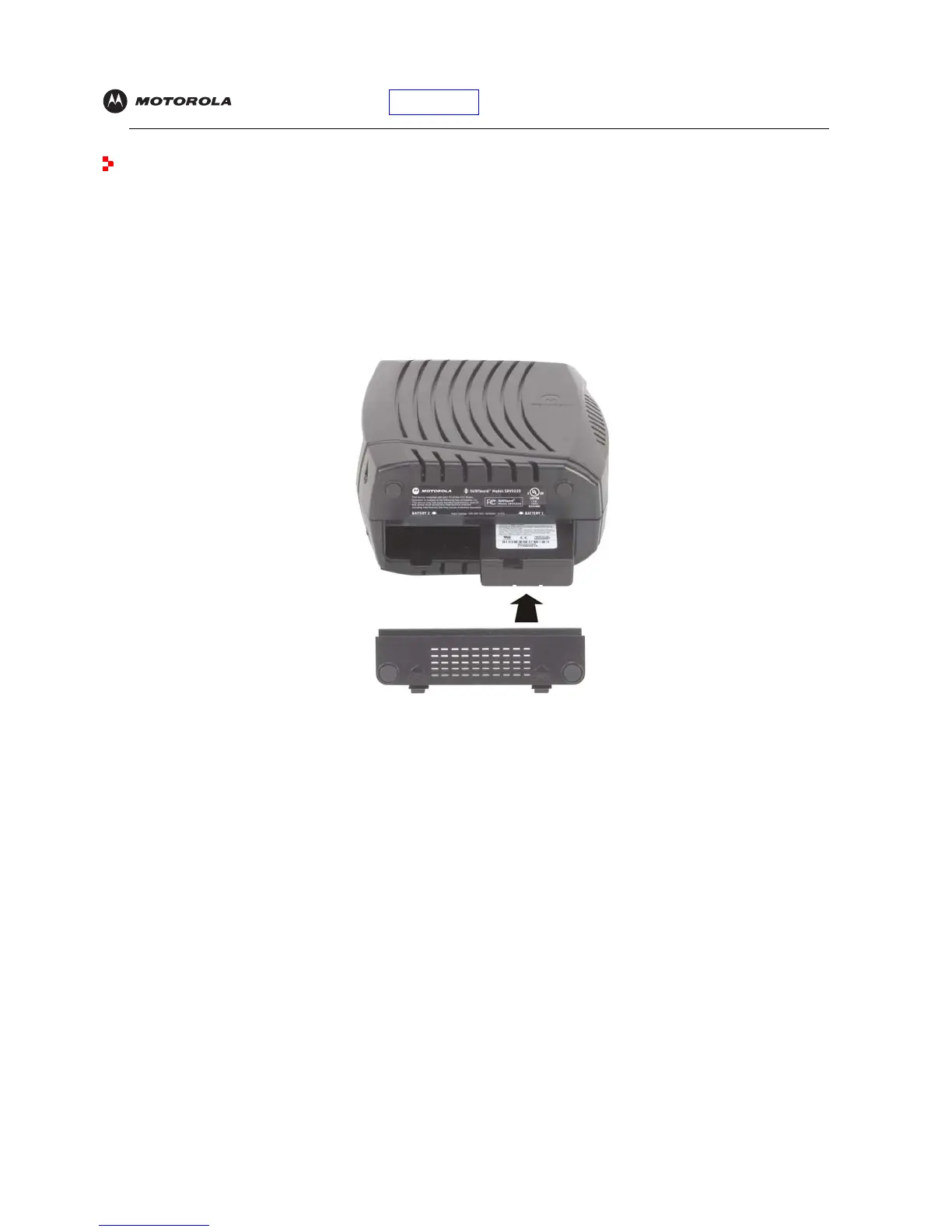
1 Place the SBV5220 on its side and remove the battery cover on the bottom.
Battery Installation
2
Slide the battery into the battery compartment until it is fully seated. The battery is keyed so that it cannot be
installed incorrectly. Make sure that the pull-tab on the battery is accessible and does not prevent the battery
cover from closing properly.
3 Re-install the battery cover with the locking tabs seated downward, and then push the cover forward.
It may take up to 12 hours to reach full charge when:
• The battery is installed for the first time.
• The battery is replaced.
• The battery is fully discharged.


 To Next Page
 Loading...