Introduction Installation Troubleshooting Glossary License
SBV5220 VoIP Cable Modem User Guide 33
Verifying the IP Address in Windows 2000 or Windows XP
To check the IP address:
1 On the Windows Desktop, click Start.
2 Select Run. The Run window is displayed.
3 Type cmd and click OK.
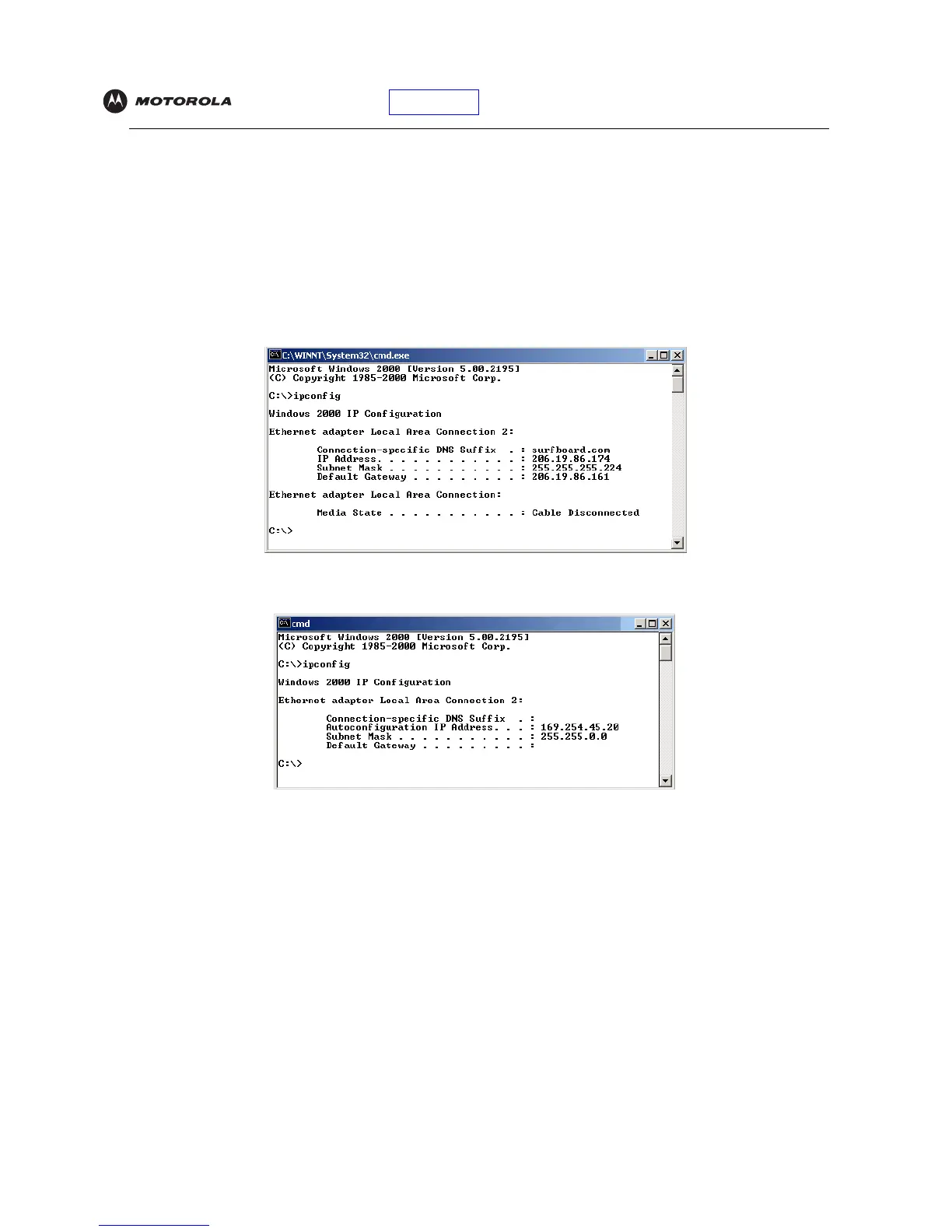
4 Type ipconfig and press ENTER to display your IP configuration. A display, like below, indicates a normal
configuration:
If an Autoconfiguration IP Address is displayed as in the window below, there is an incorrect connection
between your PC and the Motorola VoIP cable modem or there are cable network problems.
Check:
• Your cable connections
• Whether you can see cable-TV channels on your television
After successfully verifying your cable connections and proper cable-TV operation, you can renew your IP
address.


 To Next Page
 Loading...