Introduction Installation Troubleshooting Glossary License
SBV5220 VoIP Cable Modem User Guide 42
Removing
the USB Driver from Windows 98 Second Edition or Windows Me
1 On the Windows Desktop, right-click one of:
• In Windows 98 Second Edition, the Network Neighborhood icon
• In Windows Me, the My Network Places icon
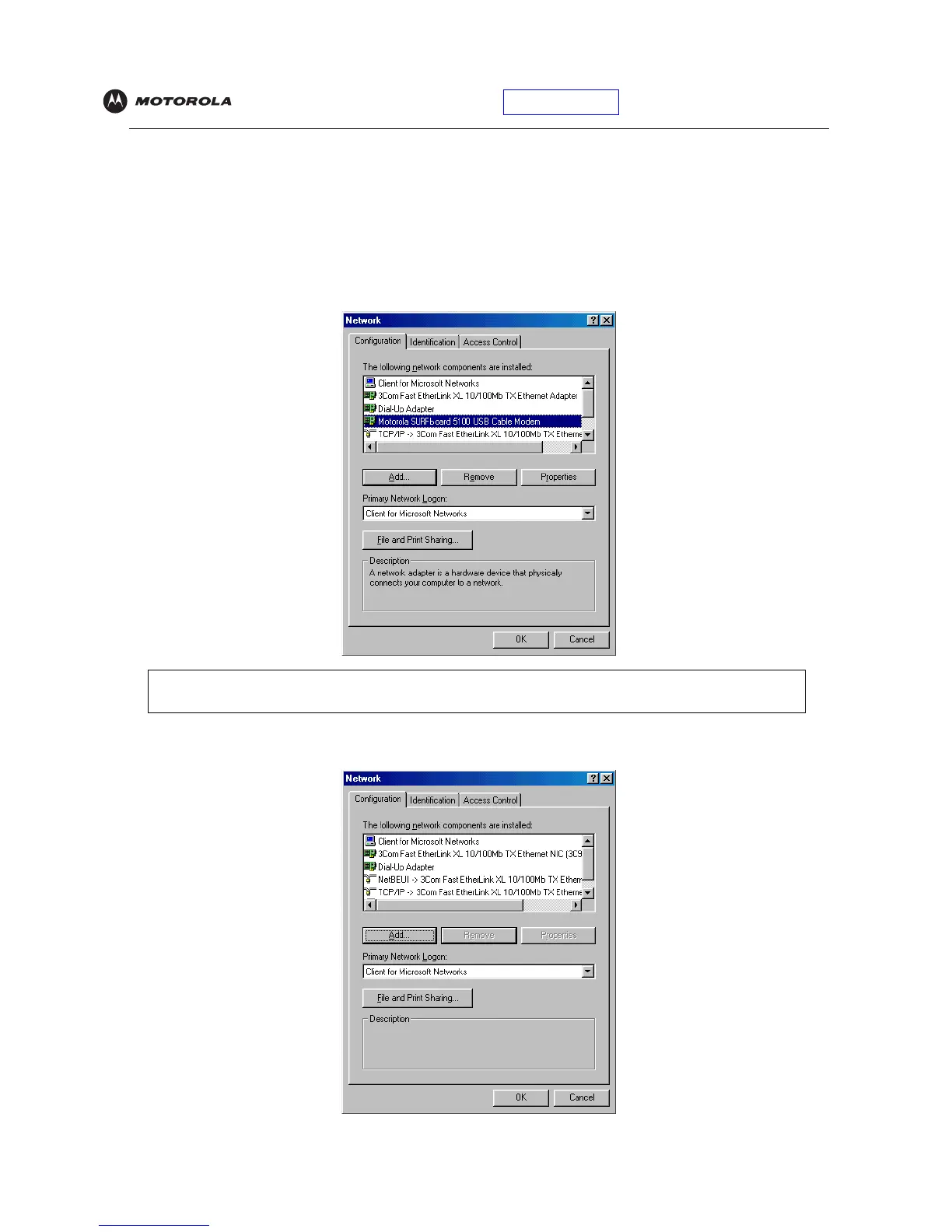
The Network window is displayed:
2 Click the Motorola SURFboard USB Cable Modem and click Remove. The Network window no longer
displays Motorola SURFboard USB Cable Modem in the list:
Although your Motorola VoIP cable modem model number may be different than in the images in this
guide, the procedure is the same.


 To Next Page
 Loading...