22
play music
play music
Your car kit can play music from your:
•
Bluetooth music device (via wireless audio streaming)
•
iPod/iPhone (via cable)
•
USB storage device (via cable)
•
Auxiliary device (via cable)
from a Bluetooth device
Note:
Your car kit supports the Advanced Audio
Distribution (A2DP) and Audio/Video Remote Control
(AVRCP) Bluetooth profiles. Accessing audio playing and
controlling functions depends upon which profile your
Bluetooth device supports. See the instructions that came
with your device.
1
From the home screen, select
Music > Bluetooth
Music
.
2
Select
Play <device>
(device from which to play
music).
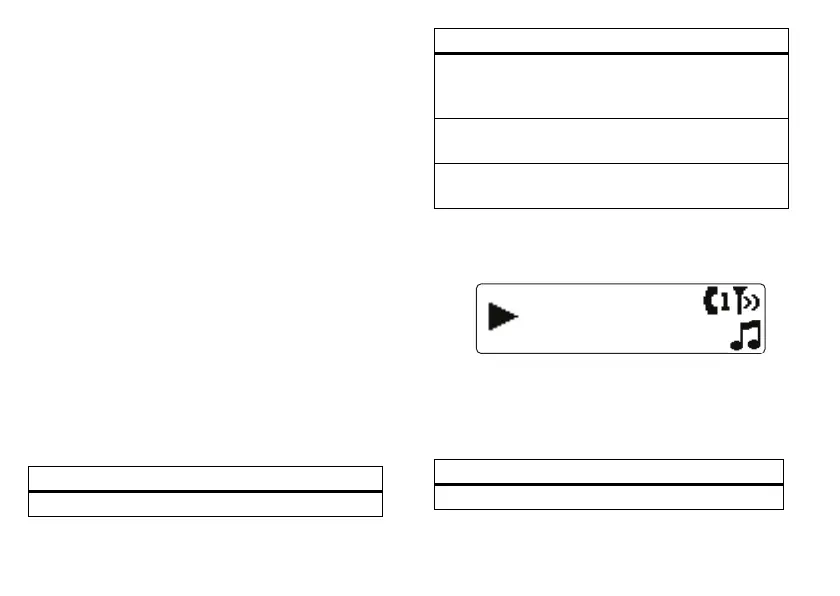
You’ll see a screen like this when music begins playing
from your Bluetooth music device:
from an iPod/iPhone
1
From the home screen, select
Music > iPod
.
2
Scroll to selection using menus.
To...
play music select
Play <device>
choose a different
Bluetooth music
device
select
Other Devices
shuffle playback of
songs
select
Shuffle <device>
pair with another
music device
select
Pair Music
To...
play selection press the scroll knob
To...




 To Next Page