25
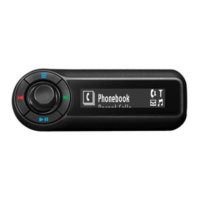
phonebook
phonebook
manually download contacts from your
phone
1
From the home screen, select
Settings > Preferences
> Phonebook Update > Receive Contacts.
2
Send contacts via Bluetooth from your phone.
When complete, press Red button to exit.
set playback mode select
Shuffle
then playback
setting
Note:
This feature is not
available for auxiliary devices
and Bluetooth devices that do
not support shuffle mode.
To...
Send the contacts via
Bluetooth from your device
Receiving contacts
John Applegate





 To Next Page