Repair Section
56
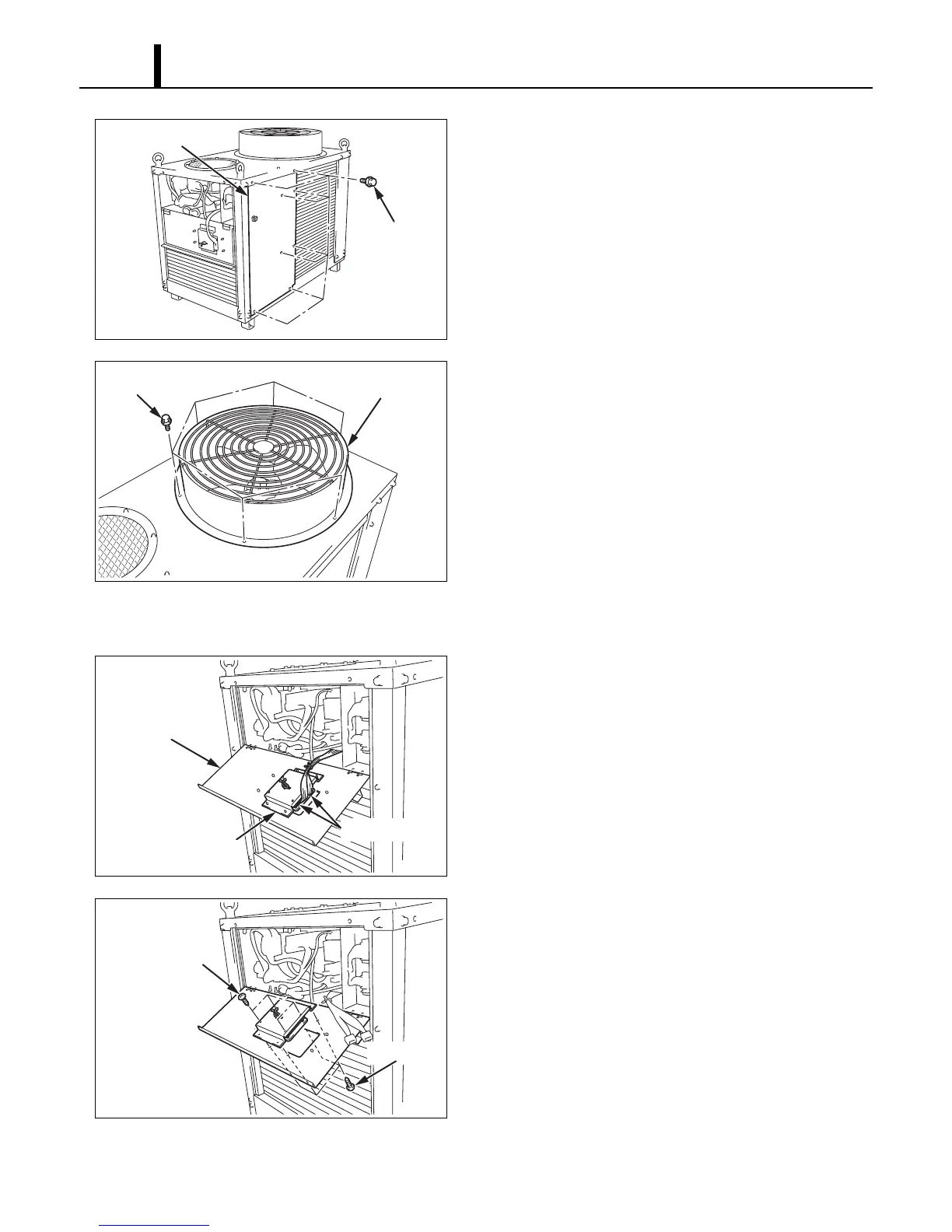
6) Take out the eight (8) bolts, and then remove the
right panel.
7) Take out the six (6) bolts, and then remove the
exhaust air duct.
7.3 Removal of Control Panel
1) Disconnect the two connectors (11-pin, 5-pin)
from the control panel.
2) Take out the eight (8) screws, and then remove
the control panel.
I002632
Right Panel
Bolts (8)
I002633
Bolts (6)
Exhaust Air Dust
I002738
Connectors
Control Panel
Control Box Cover
I002634
Screws (4)
Screws (4)









 To Next Page