PCI Express Boards Serial Programming Tools
ViewCom
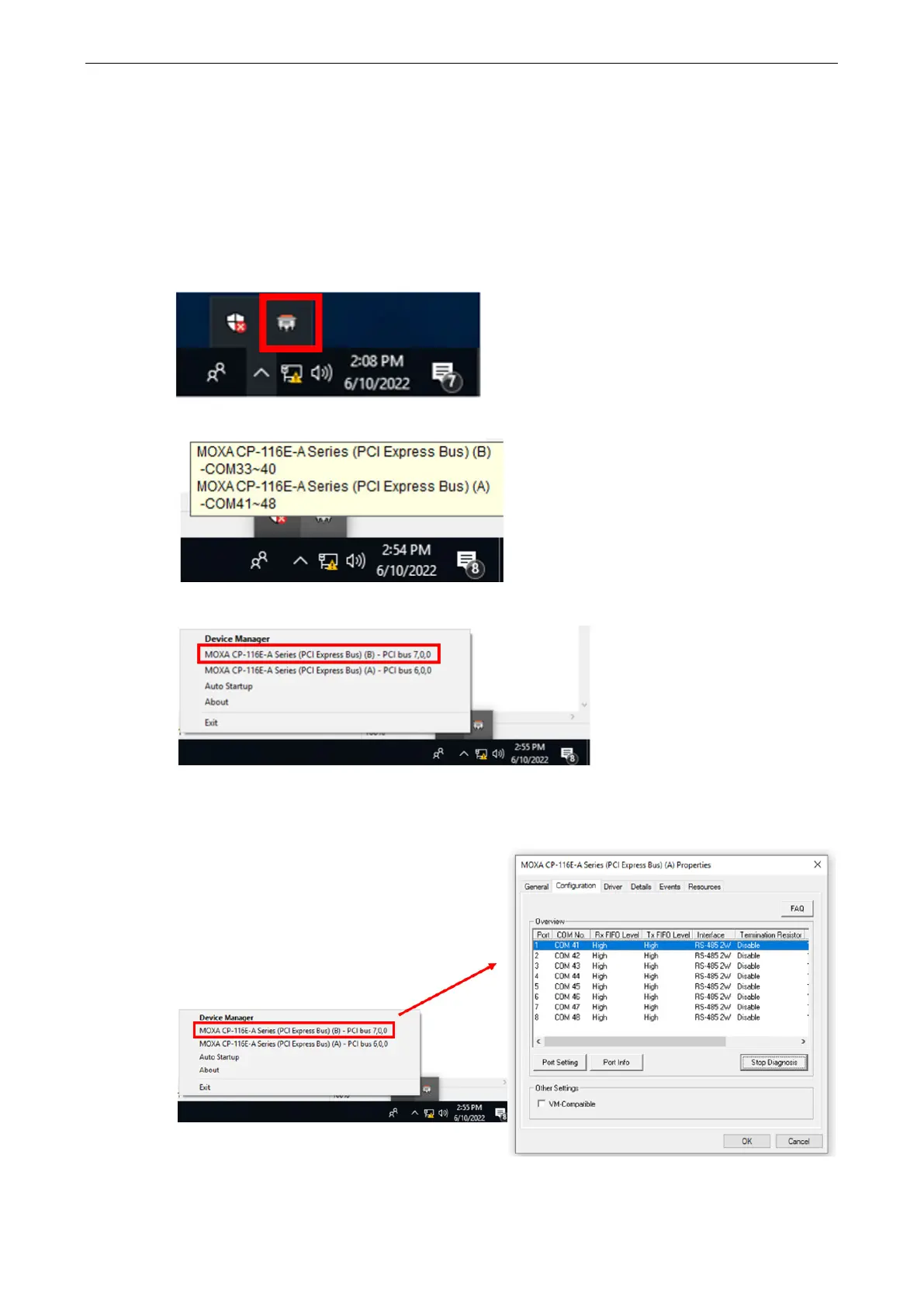
ViewCom is a useful tool to easily see the status of your Moxa serial boards. View Comm is also a shortcut
to the serial boards parameter configuration page. You don’t need to go to “device manager” and find the
serial boards name, which is complicated process.
There are many useful features in View Comm.
1. Double-click the ViewCom icon that will lead you to the device manager page for monitoring and
configuring your devices, including Moxa sSerial boards.
2. Hold you cursor on the ViewCom icon, and it will show the Moxa serial boards you have installed.
3. Rightclick on the ViewCom icon.
You can choose a Moxa multi-port serial board and go to the serial boards parameter configuration page
directly.


 To Next Page