11Moxee m2160 User Manual
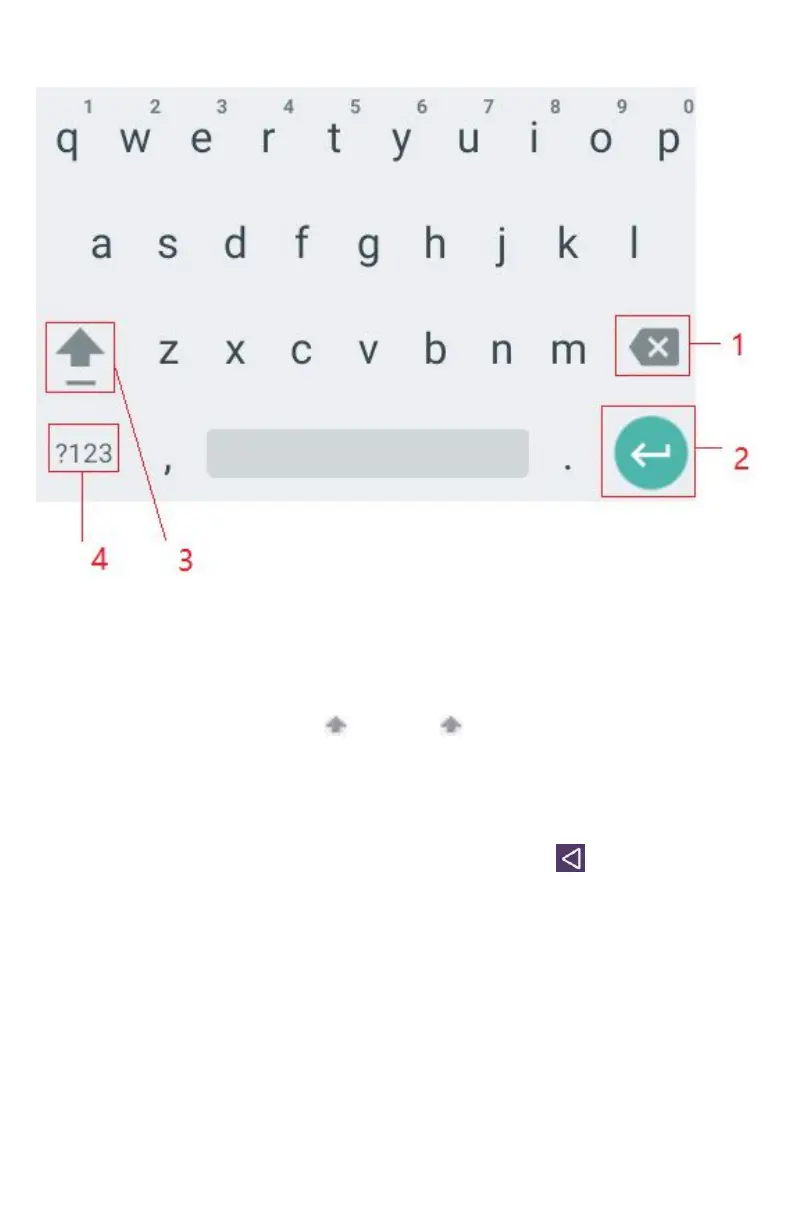
You can also use the following icons:
• Tap 3 while you type. When you release the key, the
lowercase letters reappear.
• Turn caps lock on. Double-tap or touch & hold.
• Tap 3 so it changes to . Touch shift key again to return
to lowercase.
• Tap 1 you can delete words, tap 4 you can change to the
number and sign keyboard.
• To hide the Android keyboard, press Back
.
• When you write a new message, you can tap 2 to skip from
the receiver frame to text frame.
Note: When you type the notification panel will have a “select input method” you
can set the input methods.



 To Next Page