8Moxee m2160 User Manual
MicroSD Card (not included)
Use the microSD (not included) card to store your photos,
videos, music and certain apps from Google PlayTM Store.
You can also move and copy files to your computer from your
device.
Note: When you insert or remove the microSD card, you should remove the
battery cover.
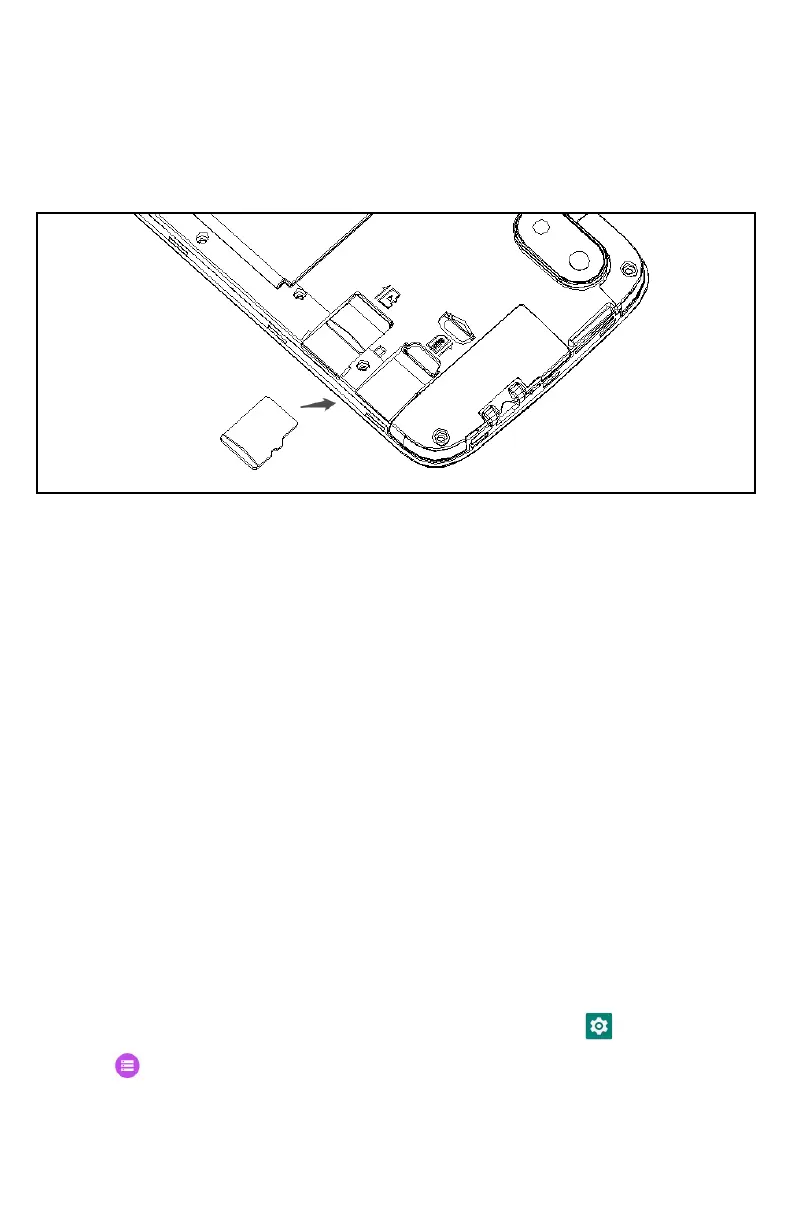
Insert the microSD card
1. Locate the microSD card slot and remove the cover.
2. Insert the microSD card into the slot with its gold contacts
facing right above battery until it clicks into place.
Removing the microSD card
1. Remove the microSD card cover.
2. Press the microSD card to eject it from the
slot then slide it out the rest of the way.
Removing the microSD card while the phone is on
If you need to remove the microSD card while the phone is
on, unmount the microSD card first to prevent corrupting or
damaging the files in the microSD card.
1. From the Home screen, swipe screen Apps >
Settings.
2. Tap
Storage > Unmount SD card > OK.
3. Remove the microSD card by following the
steps in “Removing the microSD card”.



 To Next Page