12
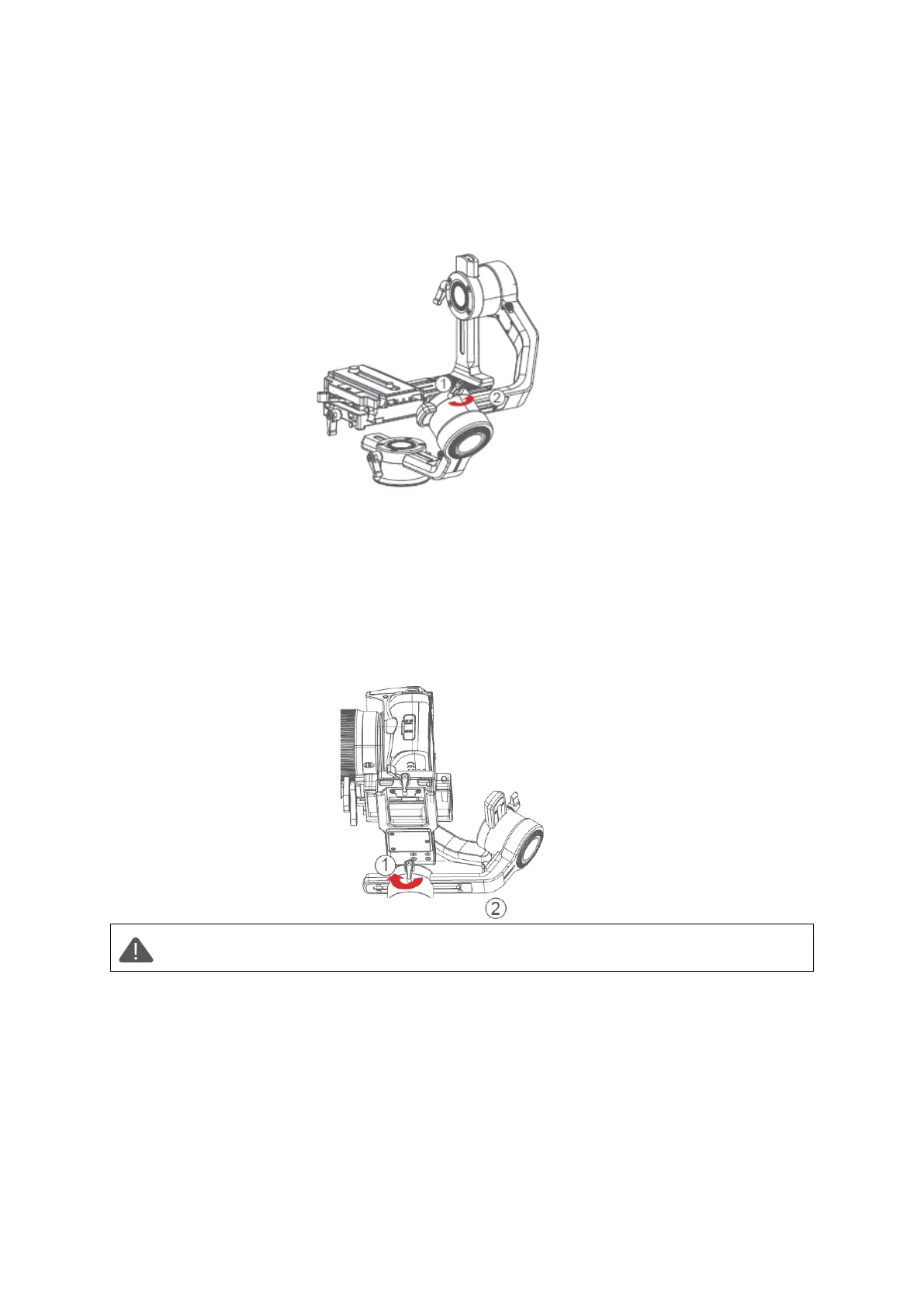
Balancing the Roll Axis
• Move the roll motor lock switch to the unlock end.
• Release hands to observe the direction in which the roll axis swings.
• Loosen the roll axis knob 1 to slide the roll arm 2 until the roll arm 2 stays still.
• Tighten the knob 1.
Balancing the Pan Axis
• Grab the Air 2S horizontally, make the pan arm level. Release hands to check the
direction in which the camera swings.
• Loosen the knob 1 on the pan motor. Move the pan arm 2 leftwards or rightwards
until it keeps level.
• Tighten the knob 1.
Note: If the balance of the pan axis is not adjusted properly, the pan axis may
become hot, and the inception mode cannot be used properly.



 To Next Page