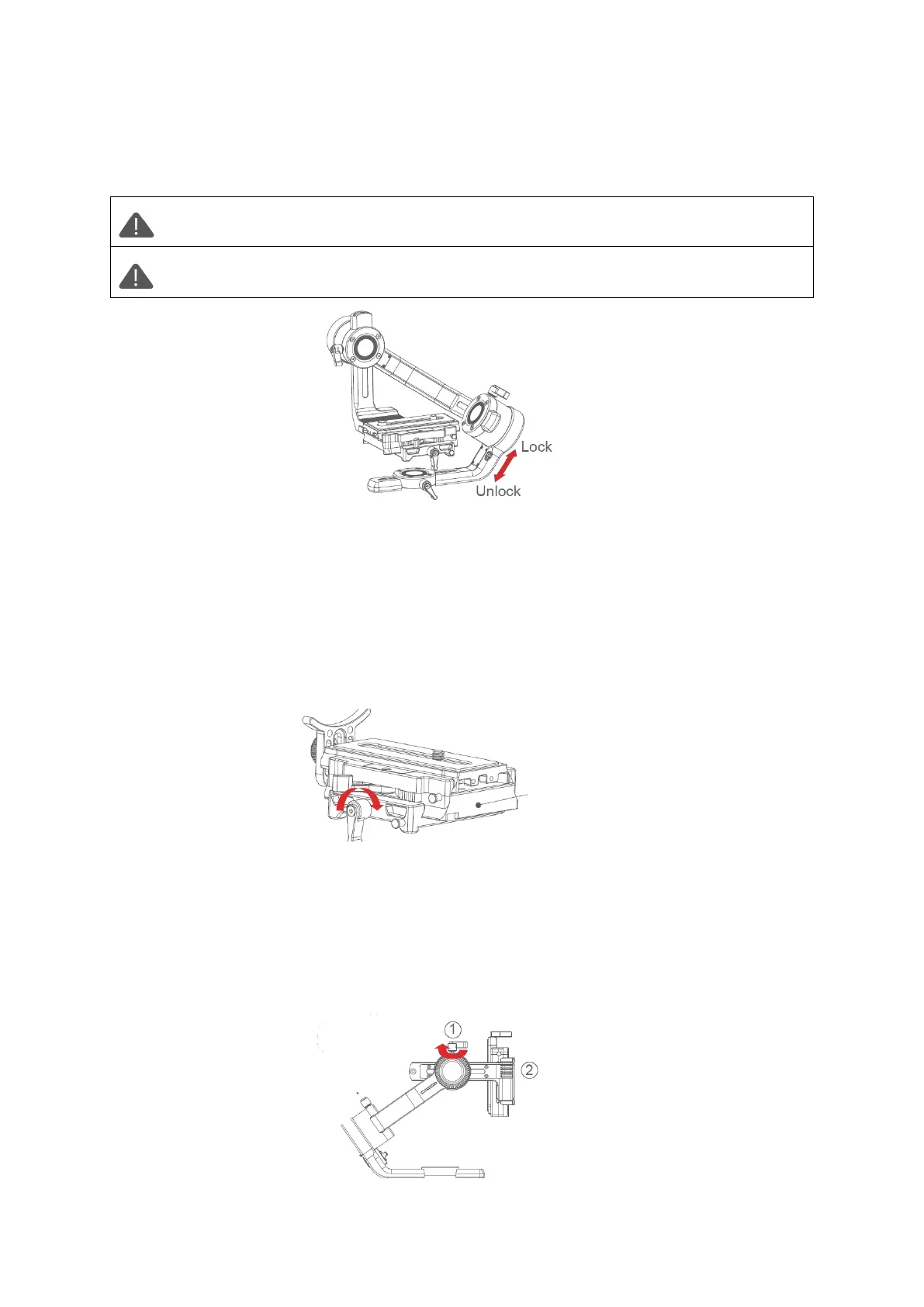
Attention: Balance Adjustment can refer to the function of Air 2S’ balance check,
and it will be more convenient to adjust according to the instructions of check.
Attention: If the roll arm is locked at the overlapping position with the heading
arm, please unlock the roll motor first, and do not drag it by force.
Balancing the Camera
• Mount the camera onto the Air 2S, release hands to check the direction of camera
• If lens is tilted upward, then the camera position is backward. Loosen quick release
base and tighten the knob, move the quick release plate until lens points to frontage.
• If lens is tilted downward, then the camera position is forward. Loosen quick release
base and tighten the knob, move the quick release plate until lens points to frontage.
• Tighten the quick release base and knob.
Balancing the Tilt Axis
• Rotate the camera so that the lens is pointing upward, release hands to check the
direction in which the camera swings.
• Loosen the knob 1 on the tilt motor to slide the tilt arm 2 until the camera stays still
without tilting it up or down.
• Tighten the knob 1.



 To Next Page