14
Main Interface
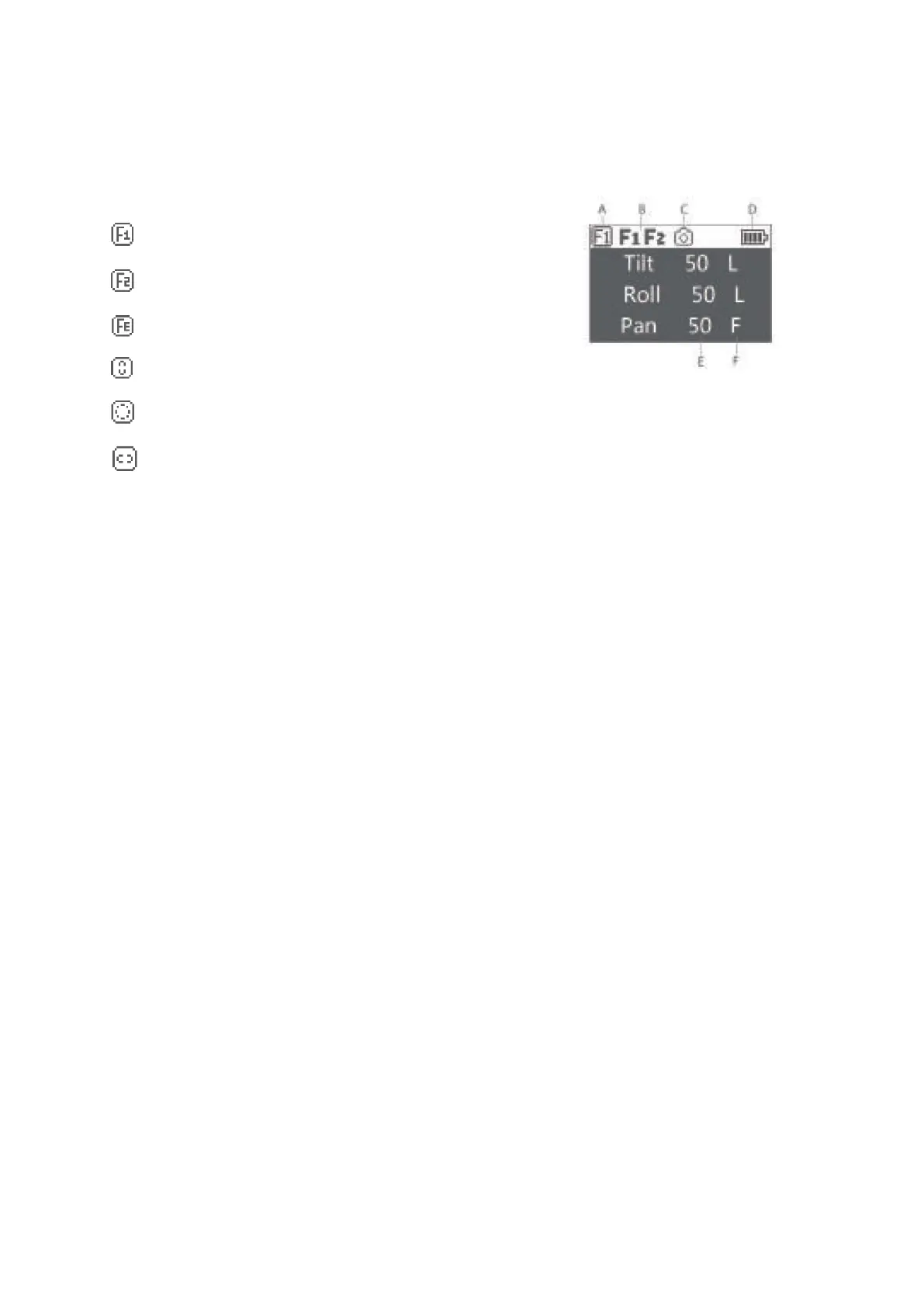
A: Smart wheel working modes
Controlling external follow focus motor 1
Controlling external follow focus motor 2
Electronic follow focus
Controlling the tilt axis
Controlling the roll axis
Controlling the pan axis
B: Focus motor connection status. Icon will be displayed after connection, otherwise it
won’t be displayed. Up to two focus motors can be connected at the same time.
C: Camera connection status. Icon will be displayed after USB connection, otherwise it
won’t be displayed.
D: Battery quantity. Each grid represents 25% battery level. When the battery is empty,
please charge the battery in time.
E: Follow speed value: 0-100. Turn the dial to adjust the value
F: Follow status
L: Lock. The axis locks and doesn’t follow.
F: Follow. The axis follows.
Q: Sport Gear Mode



 To Next Page