Installation 6-14PTX-PRO User and Technical Manual
connected to a DCE device, a null modem cable must be
connected between the DCE device and the Multipurpose Data
Cable DB-9 female WAYSIDE connector. If connected to a DTE
device, a null modem cable cannot be used, but a straight pin-to-
pin extension cable will be required.
Null modem cables may be obtained from MRC or any computer
or electronics store.
6.10.5 Networking
The RS 232 connector on the PTX-PRO can also be connected
to a network if desired. This allows both monitoring and
programming the PTX-PRO from a remote location.
To connect the PTX-PRO to a network, you will need the items
described below. See Figure 6-14.
Figure 6-14: Network Interconnection
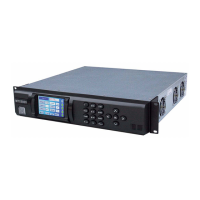
• Device Server
There are several types on the market. Also called Serial-
to-Ethernet converters, they take serial RS-232 data and
convert it to the format needed for an Ethernet network.
One type MRC has used with success is the Lantronix
UDS-10. It accepts data via a DB-25 connector, and
PTX-PRO TX
System
UDS-10 Device
Server (or
Equivalent)
Interface
Cable
Ethernet LAN
connects to the network via an RJ-45 connector. See
Figure 6-15.
• Interface Cable
This cable is needed to connect to the PTX-PRO data
connector (DB-9) on one end and connect to the device
server on the other (a DB-25 connector in the case of the
UDS-10).
This is a custom cable which you will have to fabricate.
See Figure 6-16 on page 6-15 for the connections on the
PTX-PRO end.
Figure 6-15: Lantronix UDS-10 Device Server


 To Next Page