2-5
Hardware Setup
Installing the Intel CPU Cooler
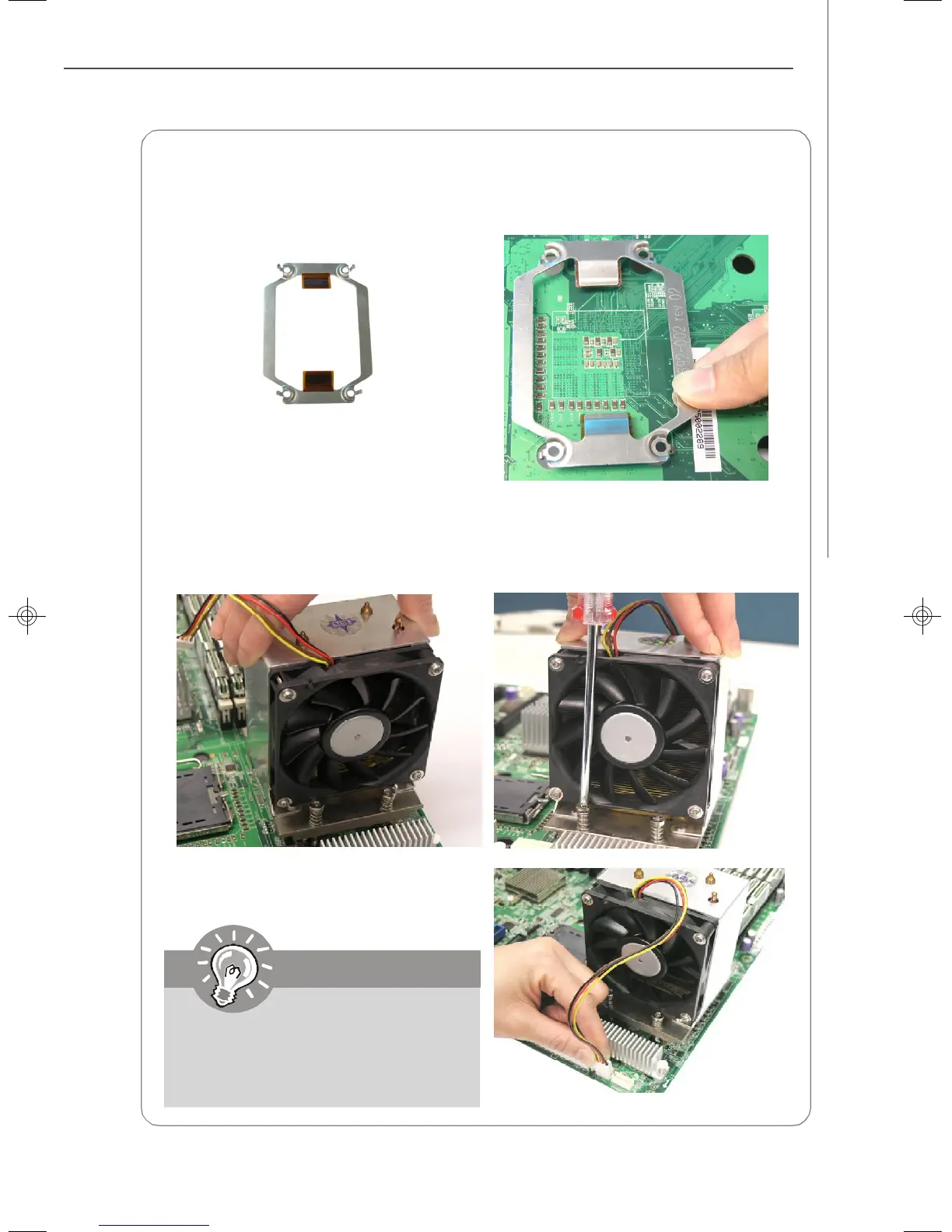
CPU cooler backplate
6.Screw to secure the CPU cooler.
7. Install another CPU fan sink if
necessary.
5.Connect the CPU fan power cord to
CPUFAN1.
Note: If dual processors are installed,
connect the second CPU fan power
cord to CPUFAN2.
1. Flip over the mainboard and locate the position of the CPU sockets.
2. Install the backplates to the back of the CPU sockets with holes aligned.
3. Install the CPU(s) following the in-
structions on page 2-4.
4. Apply some heat paste all over the
top of the CPU and place the cooler
onto it.
Mainboard photos shown in this
section are for demonstration only
and may differ from the actual look
of your mainboard.
9638v3.0-2.p65 2007/5/8, 下午 01:545



 To Next Page