2-17
Hardware Setup
Slots
Important
When adding or removing expansion cards, make sure that you unplug the
power supply first. Meanwhile, read the documentation for the expansion card
to configure any necessary hardware or software settings for the expansion
card, such as jumpers, switches or BIOS configuration.
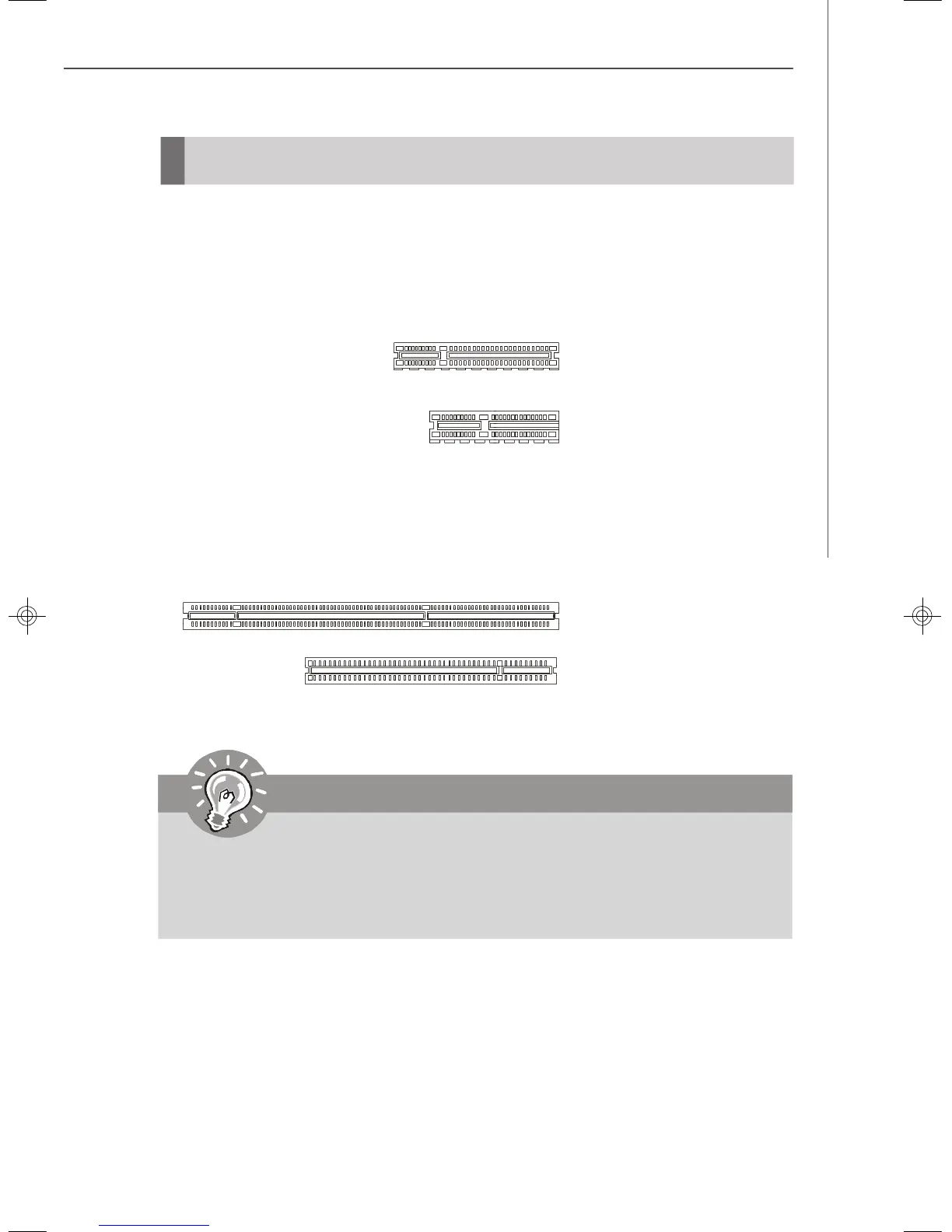
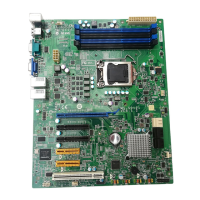
PCI (Peripheral Component Interconnect) Express Slot
The PCI Express slot supports the PCI Express interface expansion card.
The PCI Express x 8 slot supports up to 2.0 GB/s transfer rate.
The PCI Express x 4 slot supports up to 1.0 GB/s transfer rate.
PCI (Peripheral Component Interconnect) Slot
The PCI slot supports LAN card, SCSI card, USB card, and other add-on cards that
comply with PCI specifications.
PCI Express x8 Slot
(Only half-length add-in cards
are supported in PCI-E slots.)
PCI Express x4 Slot
64-bit/100MHz PCI-X Slot
32-bit/33MHz PCI Slot
9638v3.0-2.p65 2007/5/8, 下午 01:5417



 To Next Page