EasyManua.ls Logo

MSI 694T Pro - Memory Installation

MSI 694T Pro
126 pages
Print Icon
To Next Page IconTo Next Page
To Previous Page IconTo Previous Page
Loading...
Chapter 2
2-4
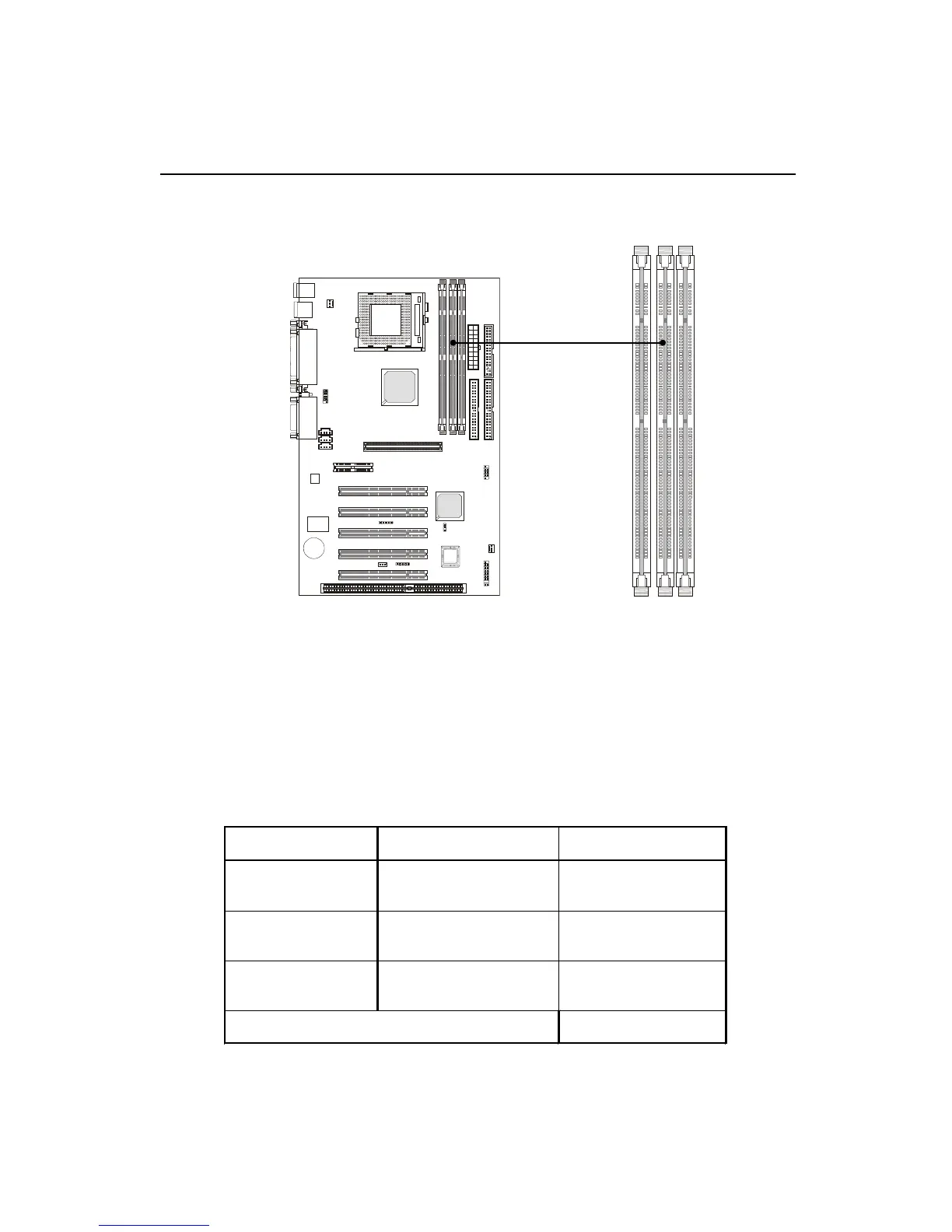
The mainboard provides 3 sockets for 168-pin, 3.3V SDRAM DIMM
with 6 memory banks. To operate properly, at least one DIMM module must be
installed.
Memory Installation
SDRAM Combination
You can install the memory modules in any order and in any combination as
listed below:
SDRAM DIMM Slots
(DIMM 1~3)
D IM M Socket M em ory M odule Total M em ory
Socket 1
(Bank 0 & Bank 1)
32M B, 64M B, 128M B,
256M B, 512M B
32M B 󲕏 512M B
Socket 2
(Bank 2 & Bank 3)
32M B, 64M B, 128M B,
256M B, 512M B
32M B 󲕏 512M B
Socket 3
(Bank 4 & Bank 5)
32M B, 64M B, 128M B,
256M B, 512M B
32M B 󲕏 512M B
Total System M em ory
32M B 󲕏 1.5GB

Table of Contents

Related product manuals