Chapter 2
2-20
Note: USB PC to PC Networking feature allows users to transfer and receive
data from other computers or share system resources with other computers
without using any network adapter. See below for instructions.
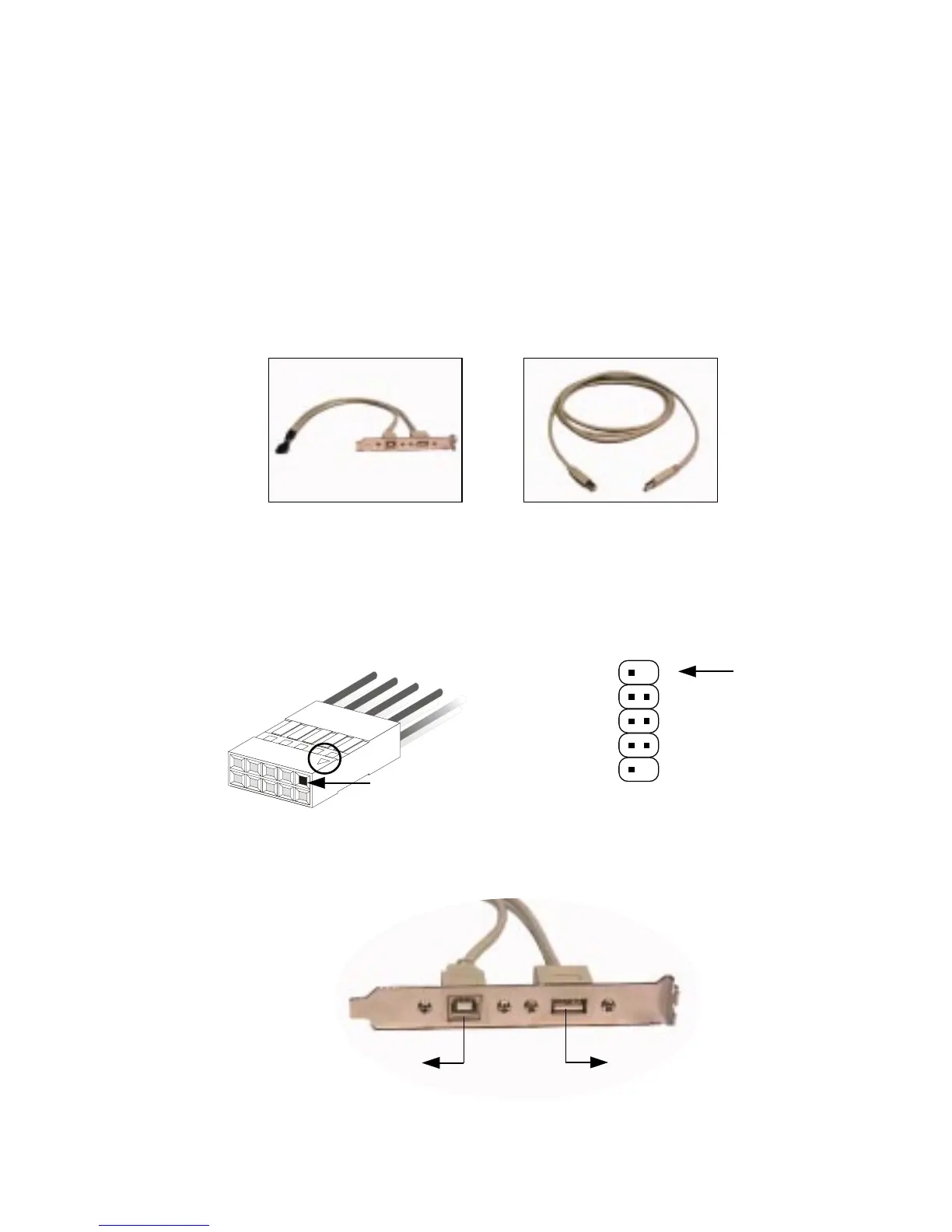
To Attach the USB PC to PC cable
1. Check whether the package includes the following items. If any is
missing, contact your dealer.
2. Connect the USB Bracket cable to the USB2 pin header on the
mainboard. Locate the pin position marked with the ARROW on the
connector of USB Bracket and Pin# 5 of USB2. Then align the marked
pin position with Pin# 5 to attach the USB Bracket.
3. Identify the B Type Connector on the bracket used for PC to PC Net-
working function.
USB2
Pin Position marked
with ARROW
1
5
10
USB PC to PC Bracket USB PC to PC Cable
B Type Connector
for PC to PC
Networking
A Type Connector
for attaching
USB 1.1 Peripherals
6



 To Next Page