En-11
Englsh
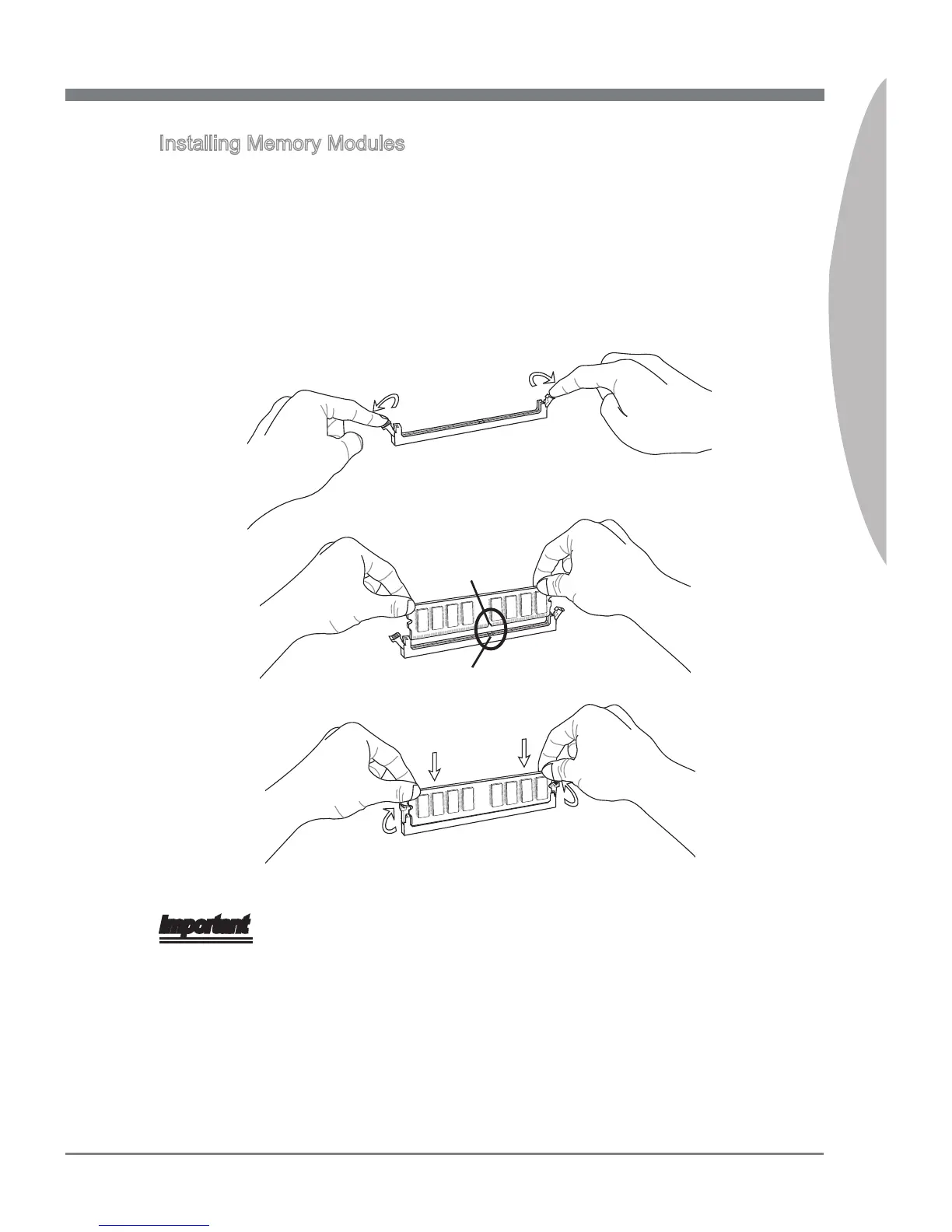
Installng Memory Modules
The memory module has only one notch on the center and wll only t n the rght
orentaton.
Insert the memory module vertcally nto the DIMM slot. Then push t n untl the
golden nger on the memory module s deeply nserted n the DIMM slot. The plastc
clp at each sde of the DIMM slot wll automatcally close when the memory module
s properly seated.
Manually check f the memory module has been locked n place by the DIMM slot
clps at the sdes.
Notch
Volt
Important
You can barely see the golden nger f the memory module s properly nserted n the
DIMM slot.
1.
2.
3.



 To Next Page