10
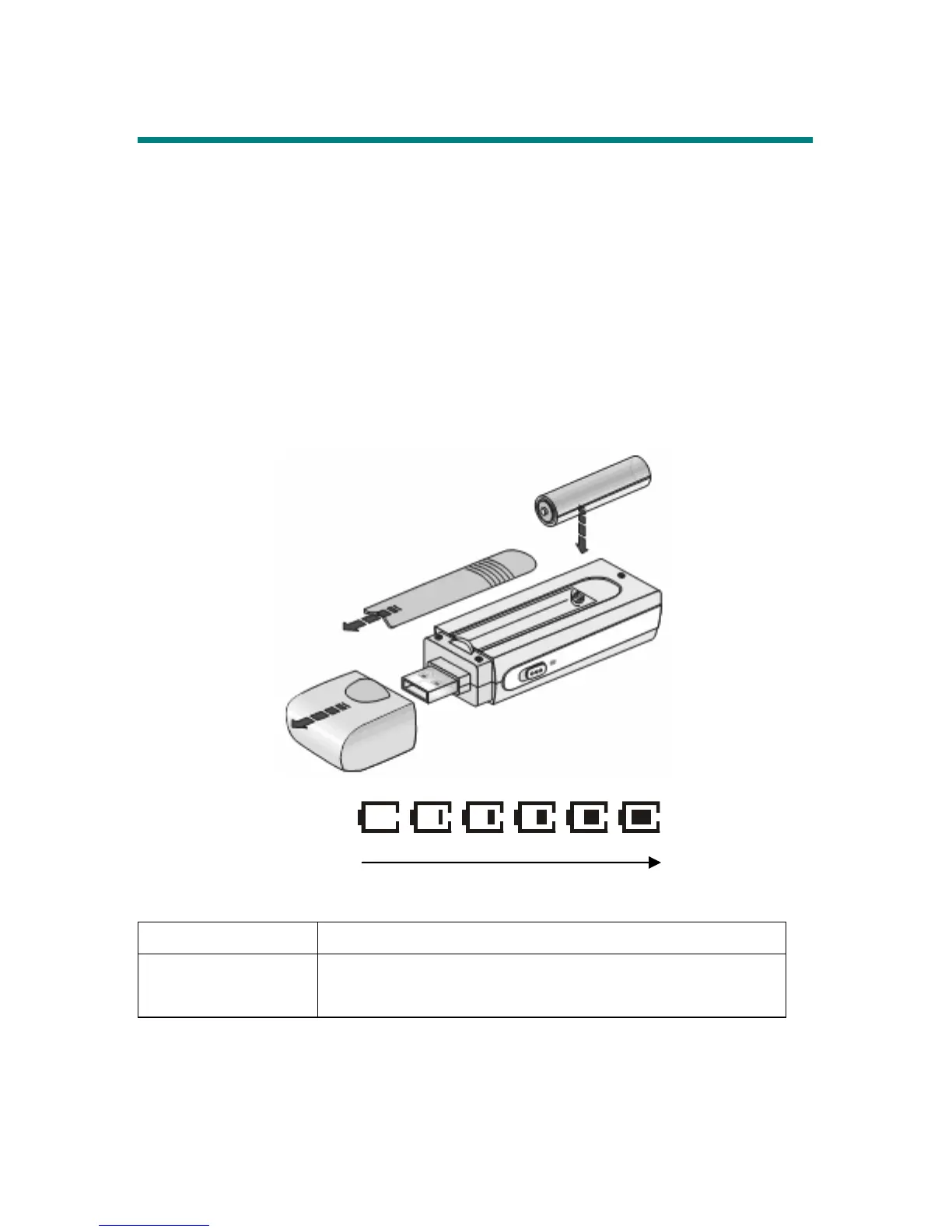
Insert a Battery
1. Gently detach the USB connector cap, and you will find that the cap is attached to
the main set with a special design string to avoid losing it.
2. Slide the battery cover.
3. Insert an AAA battery and make sure the battery is inserted by correct alignment.
4. Slide back the battery cover.
5. Press the Play/Pause button to power on MEGA STICK, and then check the
capacity of the battery.
6. If you cannot read the Battery Status on the Display, please return to step 1 and
make sure the battery is inserted by the correct alignment.
Battery Consuming Reference
Category of Battery Playing/ Recording
AAA Alkaline
1280mA/hr battery
Average 12 hours for audio playback or recording
Note: 1. Alkaline battery is recommended when using this Drive.
2. Take out the battery if you will not use this Drive for long time.
Battery Status
Empty Full



 To Next Page