8
Chapter 2. Getting Started
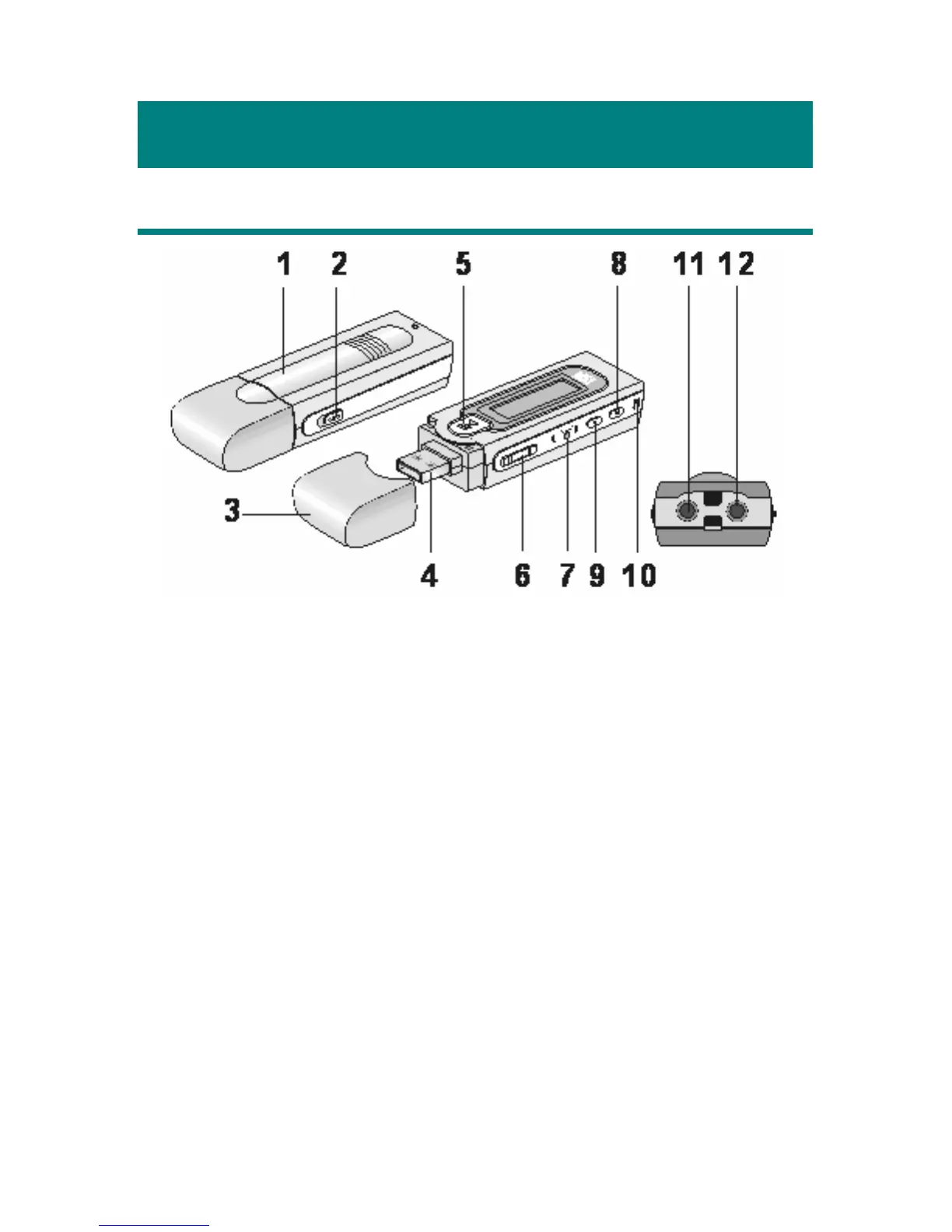
Overview
1. Battery Cover Slide open to insert an AAA size battery here.
2. Hold Switch Switch to hold position to prevent any miss
touching while MEGA STICK is recording or
playing.
3. USB Connector Cap Detach the cap when connecting the MEGA
STICK to the computer.
4. USB Connector Connect one end of the supplied USB extension
cable here.
5. Power On/Off Press and hold to Power On or Off MEGA
STICK.
Play/Pause In music playback mode, press to play or to pause
the playback. In FM mode, press to select the
stored favorite stations one by one.
6. Volume+/- Press +/- button to increase or decrease the
volume level.



 To Next Page