Chapter 3. Driver & Utility Installation
Connect MEGA STICK to Computer
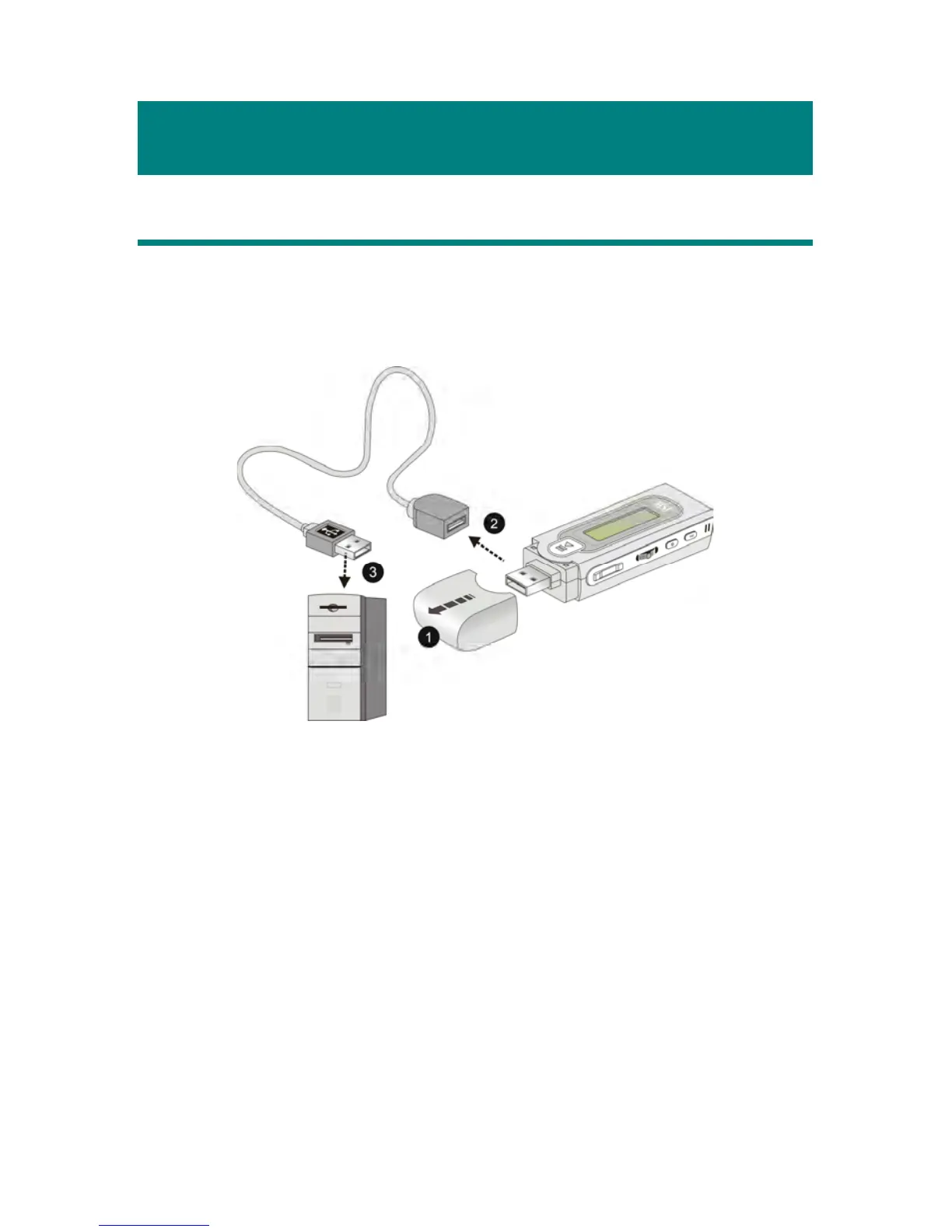
1. Remove the USB connector cap.
2. Plug one end of the supplied USB cable to your computer, and plug the
other end to MEGA STICK.
3. Once MEGA STICK is connected to the computer, MEGA STICK
should be detected by the operation system automatically.
Note: If the operating system of your computer is Windows 98SE, a
hardware driver for MEGA STICK will be required.
Hardware Installation for Windows 98SE
When MEGA STICK is connected to a computer with Windows 98SE
operating system, the system will automatically detect the new hardware, and
ask for a hardware driver to be installed. To install the driver, place the supplied
driver disk into the CD drive. Then, follow the on-screen instructions to
complete the installation.



 To Next Page