14
Note: The Play/Pause button must be pressed while connecting MEGA
STICK to the computer.
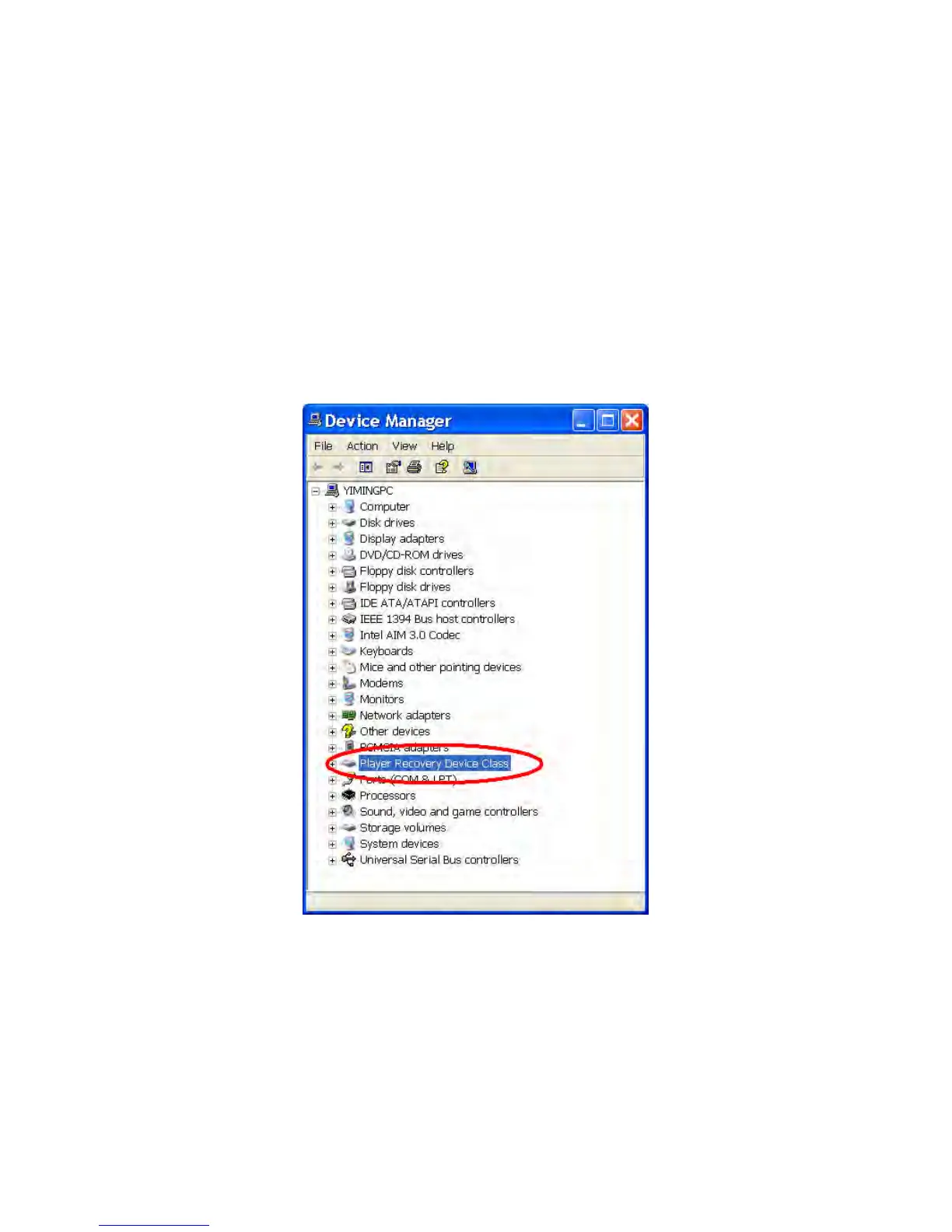
3. When you have connected MEGA STICK to the computer, please go to
[Device Manager] and find a new drive named [Player Recovery Device
Class] to check connection status. If the connection is failed, you will not
find [Player Recovery Device Class] appearing in [Device Manager]. At
this time, please repeat step 1 and 2 again to try to connect MEGA STICK
to your computer one more time.
4. Now, release the Play/Pause Button.
5. Run the Update program by selecting [Start -> Programs -> MSI ->
MS-551X] to load the firmware.
6. After loading firmware, you can see an update dialog.



 To Next Page