2-22 2-23
Disassembly and Assembly
Go Top
Smart Card Reader
Smart Card Reader Disassembly
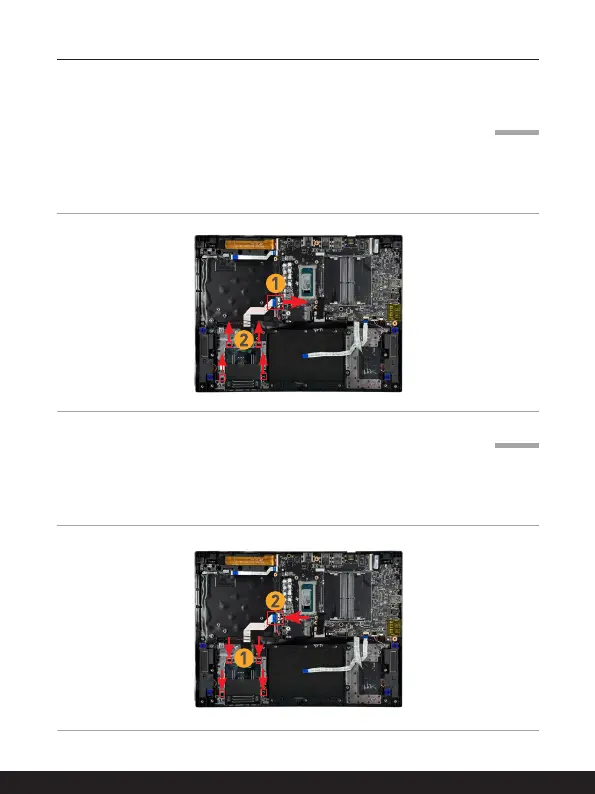
1. Disconnect the Smart Card reader cable connector.
2. Loosen the screws that secure the Smart card readerwith a cross type screwdriver.
3. Remove the Smart card reader.
Smart Card Reader Assembly
1. Place the Smart Card reader back to its position with correct orientation and then
reattach the screws to secure the Smart Card reader.
2. Reattach the Smart Card reader connector.
Go Top



 To Next Page