Using MSI Center
3-20 3-21
Support
Within Support page, you may find the advanced functions included: Live Update, System
Info, MSI Recovery and Knowledge Base.
Live Update
Live Update
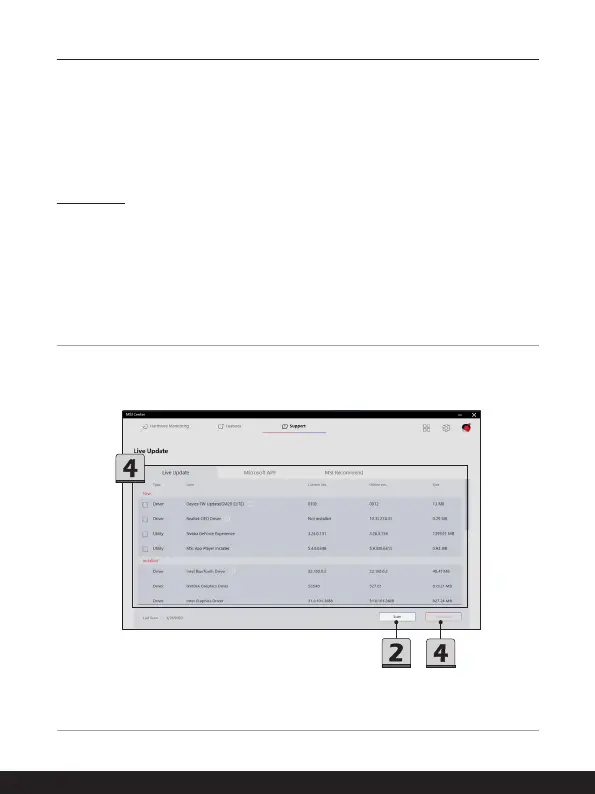
1. Connect to Internet, and go to MSI Center [Support > Live Update].
2. Move the mouse cursor to [Scan] icon, and click on it.
3. Live Update is capable to analyze the system automatically and give a list with every
latest drivers and utilities available for updating.
4. Select a required driver or utility for updating, and then click [Download] to continue.
Follow the on-screen instructions to complete the installation.
5. You may read the message [No Internet connection. Please connect to the Internet
and retry], please check the Internet connection.



 To Next Page