Using MSI Center
3-16 3-17
Hardware Diagnosis
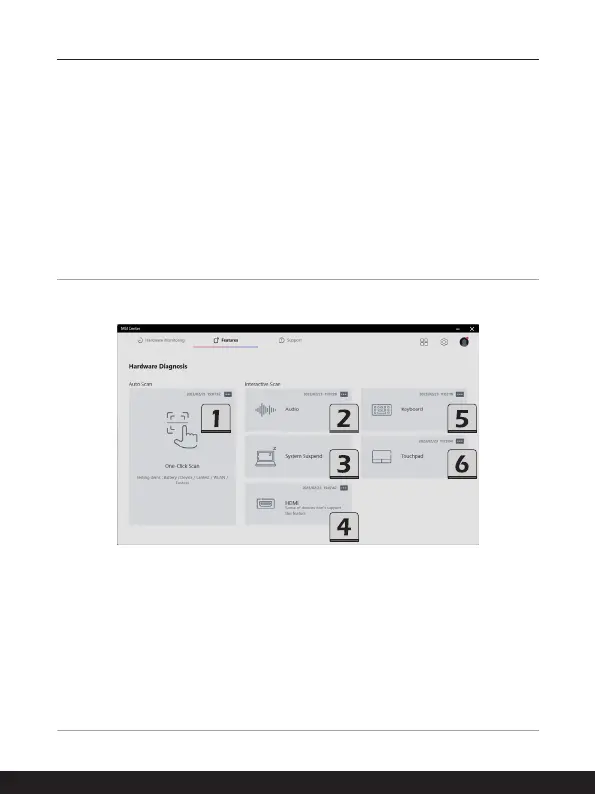
Hardware Diagnosis is capable of doing a quick self-examination for the hardware devices
of the laptop.
Go to MSI Center [Features > Hardware Diagnosis], and follow the on-screen instructions
to continue the self-examination procedures.
1. One-Click Scan: check the status of the battery, LAN, WLAN, Fan module, etc.
2. Audio: check the internal audio devices status.
3. System Suspend: set the system into sleep mode, and auto wake-up the system.
4. HDMI: check the connection status of HDMI devices.
5. Keyboard: check the keyboard LED status.
6. Touchpad: check the touchpad status.



 To Next Page