Using MSI Center
3-14 3-15
Performance Analysis
Performance Analysis provides system performance analysis report of the laptop. With
this function, users may be able to learn the basic system performance whenever is
needed.
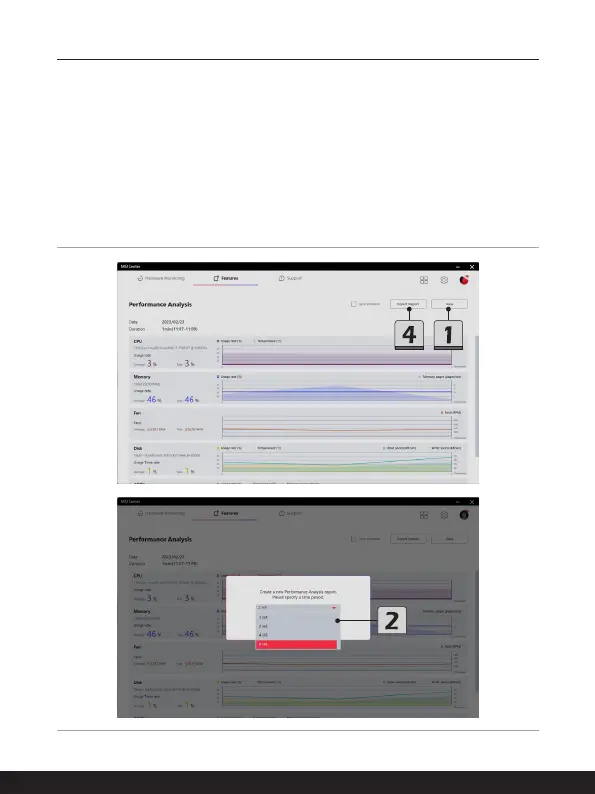
Go to MSI Center [Features > Performance Analysis].
1. Click on [New] to create a new Performance Analysis report.
2. Specify a time period.
3. Follow the on-screen instructions to generate the report as specified.
4. It is allowed to export the Performance Analysis report by clicking the [Export Report].



 To Next Page