Using MSI Center
3-12 3-13
System Checker
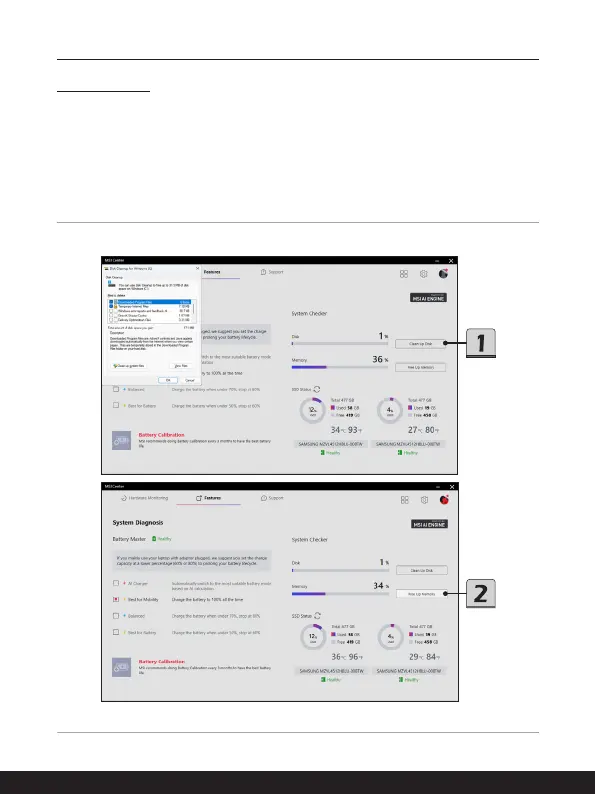
Go to MSI Center [Features > System Diagnosis]. Users may read the real-time status of
the HDD and SSD storage and memory usage.
1. To clean up the disk, move the mouse cursor to [Clean Up Disk] and right click on it to
bring the dialog window of [Disk Cleanup for Windows], and then follow the on-screen
instructions to clean up the disk.
2. To free up the memory, simply move the mouse cursor to [Free Up Memory] and right
click on it.



 To Next Page