3-26 3-27
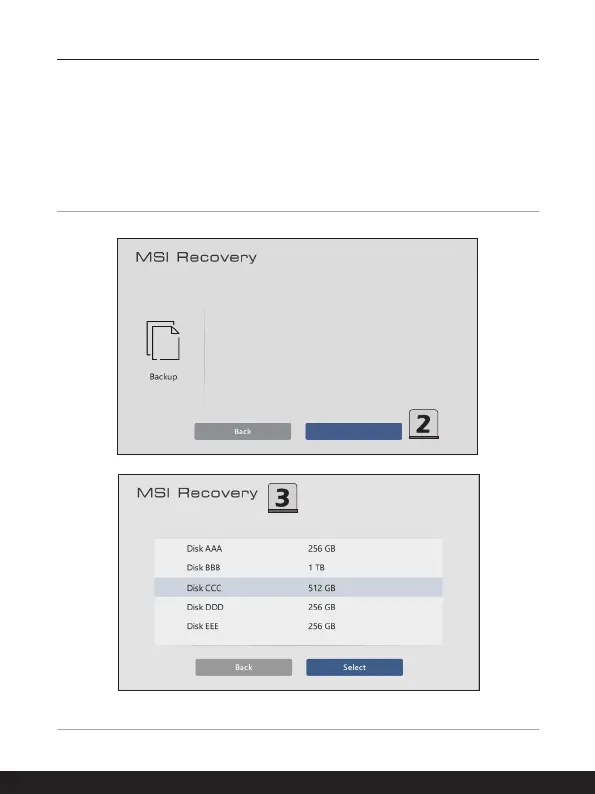
2. Insert an USB flash disk with minimum capacity 32GB required.
Click [Next] to continue.
3. Select the path of the inserted USB flash disk and then click [Select] to continue.
4. Be noted that making a MSI Rescue USB disk, the USB flash disk will be formated,
all data will lost.
5. Follow the on-screen instructions to complete creating the MSI Rescue USB disk.
6. Keep the MSI Rescue USB disk properly, it will be used whenever you perform the
Backup and Restore functions.
MSI Image Backup can help you backup factory settings.
Please make sure your external disk has storage biger than
32 GB.
Would you like to do it now?
Next



 To Next Page