2-14
Hardware Setup MS-S0121
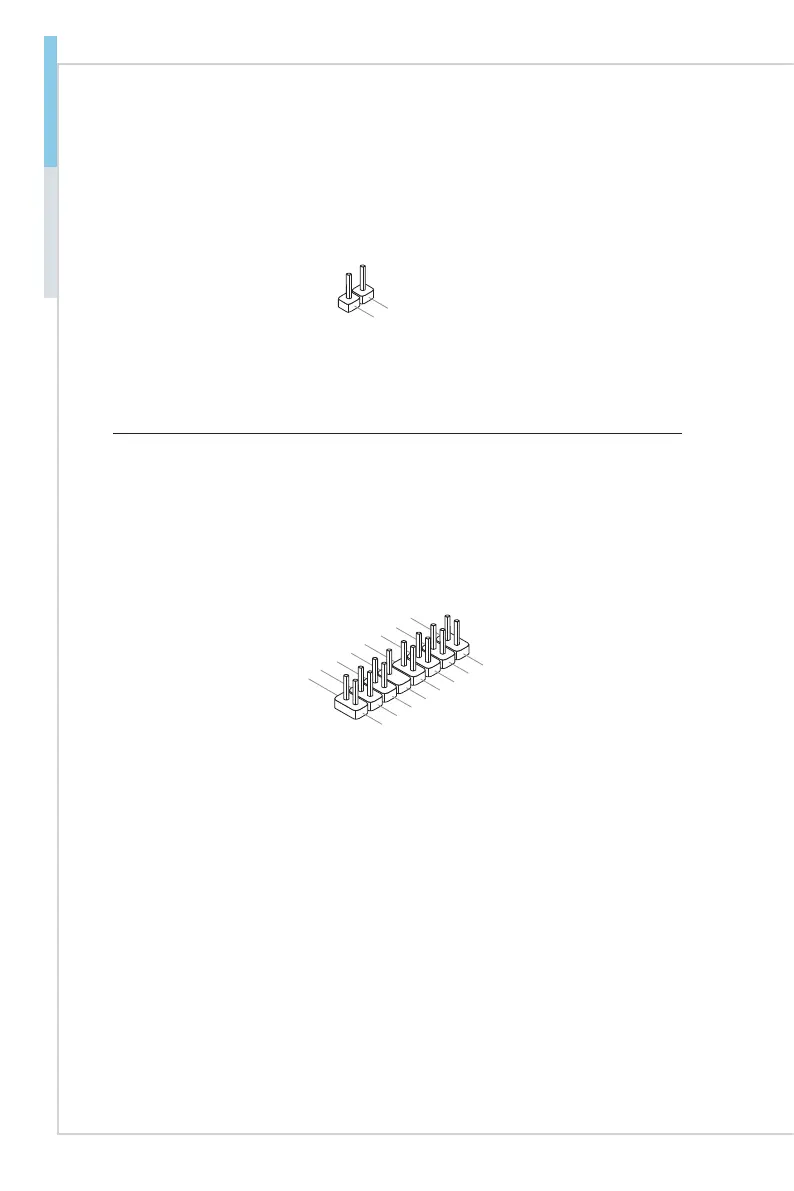
Chassis Intrusion Switch Connector: JCI1
This connector connects to the chassis intrusion switch cable. If the chassis is
opened, the chassis intrusion mechanism will be activated. The system will re-
cord this status and show a warning message on the screen. To clear the warn-
ing, you must enter the BIOS utility and clear the record.
Front Panel Connector: JFP1
The front panel connector is provided for electrical connection to the front panel
switches and LEDs.
11
.ID
L
ED
9.NC
13.+3.3
V
D
UA
L
5
.GN
D
1.HDD
L
ED
+
2.POWE
R
L
ED
+
4.POWER
L
ED
-
16.LAN1
L
ED
3.HDD
L
ED
-
12.FA
UL
T L
ED
7.RESE
T
8
.GN
D
6.POWE
R
10.KE
Y
14.LAN2
L
ED
15.+3.3
V
D
UA
L


 To Next Page