C-7
Intel ICH10R SATA RAID
▍
MS-7522
Delete RAID Volume
Here you can delete the RAID volume, but please be noted that all data on RAID
drves wll be lost.
■
Important
If your system currently boots to RAID and you delete the RAID volume n the Intel RAID
Opton ROM, your system wll become unbootable.
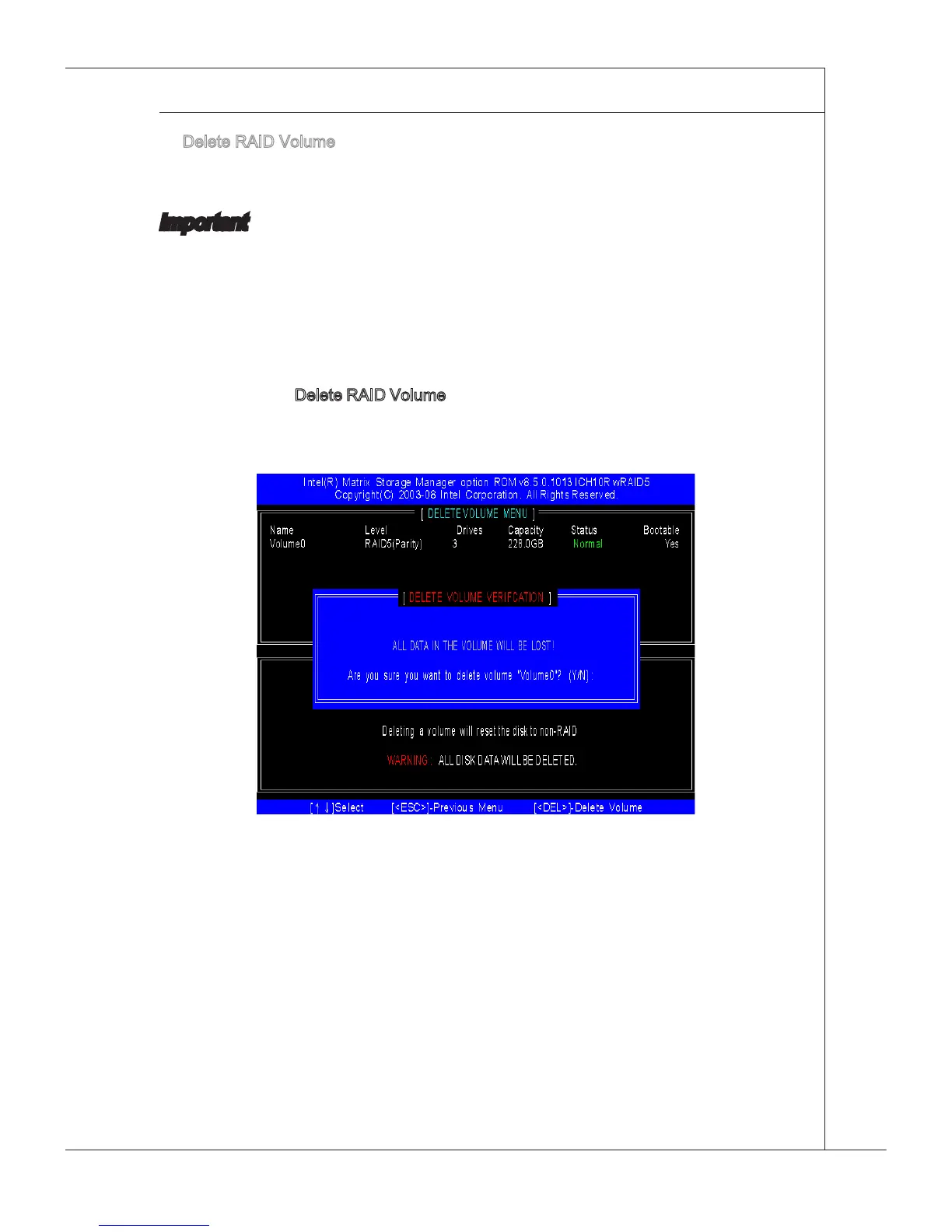
Select opton 2 Delete RAID Volume from the man menu wndow and press <Enter>
key to select a RAID volume for deleton. Then press <Delete> key to delete the
selected RAID volume. The followng screen appears.
Press <Y> key to accept the volume deleton.







 To Next Page