SLotS
PCI (Perpheral Component Interconnect) Express Slot
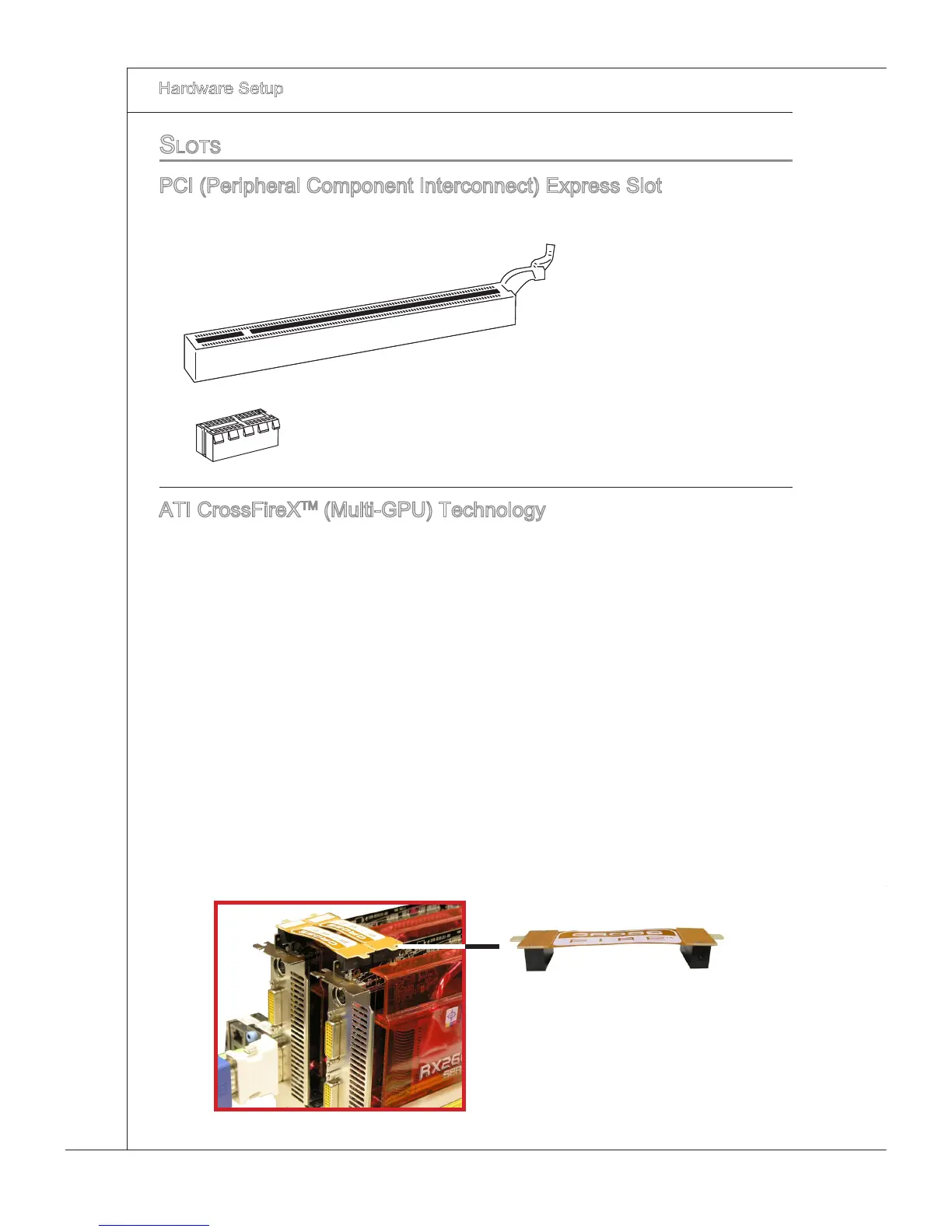
The PCI Express slot supports the PCI Express nterface expanson card.
PCI Express x16 Slot
PCI Express x1 Slot
ATI CrossFreX
TM
(Mult-GPU) Technology
ATI CrossFreX
TM
s the ultmate mult-GPU performance gamng platform. Enablng
game-domnatng power, ATI CrossFreX
TM
technology enables two or more dscrete
graphcs processors to work together to mprove system performance. ATI CrossF-
reX
TM
technology allows you to expand your system’s graphcs capabltes. It allows you
the ablty to scale your system’s graphcs horsepower as you need t, supportng two or
more ATI Radeon
TM
HD graphcs cards, makng ths the most scalable gamng platform
ever. The motherboard can auto detect the CrossFreX
TM
mode by software, therefore
you don’t have to enable the CrossFreX
TM
n BIOS by yourself. The followng detals the
2-way CrossFreX
TM
nstallaton.
Install one ATI Radeon
TM
HD graphcs card n the rst PCIE x16 (PCI_E1) slot , then
nstall one ATI Radeon
TM
HD graphcs card n the thrd PCIE x16 (PCI_E4) slot.
Wth two cards nstalled, an CrossFreXTM Vdeo Lnk cable s requred to connect
the golden ngers on the top of these two graphcs cards (refer to the pcture be
-
low). Please note that although you have nstalled two or more graphcs cards, only
the vdeo outputs on the graphcs card nstalled n PCI_E1 wll work. Hence, you
only need to connect a montor to ths graphcs card.
1.
2.
CrossFreX
TM
Vdeo Lnk cable







 To Next Page